

Landings — Telegram redirect landing pages
The Tracker → Landings section contains pages that users pass through before getting to Telegram . When a lead clicks an ad, they first see the landing page, read / watch the content, and only then cl
The Tracker → Landings section contains pages that users pass through before getting to
Telegram. When a lead clicks an ad, they first see the landing page, read / watch the content, and only then click the button to go to the channel or bot. A landing page is a “filter”: irrelevant clicks are filtered out, warm leads are nurtured, and a first impression is formed.A landing page is a required object for every Not Organic campaign ( Information — Basic Campaign Identification, Landing field). You can use the standard
Tracker template (fast, no layout work) or upload your own ZIP archive (requires a designer, but gives you full control). One landing page can be reused in multiple campaigns — for example, a shared wallet-screen for all Telegram channels of one offer.What tasks this section solves
Create an MVP landing page for a new offer in 5 minutes (
Default). Upload a fully branded page with your own design (Custom). A/B test two landing page variants in one campaign. Launch a promo for an offline channel (the QR code leads to the landing page). Prepare a showcase page with social proof (review screenshots, numbers, buttons), then route users to the Telegram community. Quick start with Default → migrate to Custom when you need conversion tests and pixels.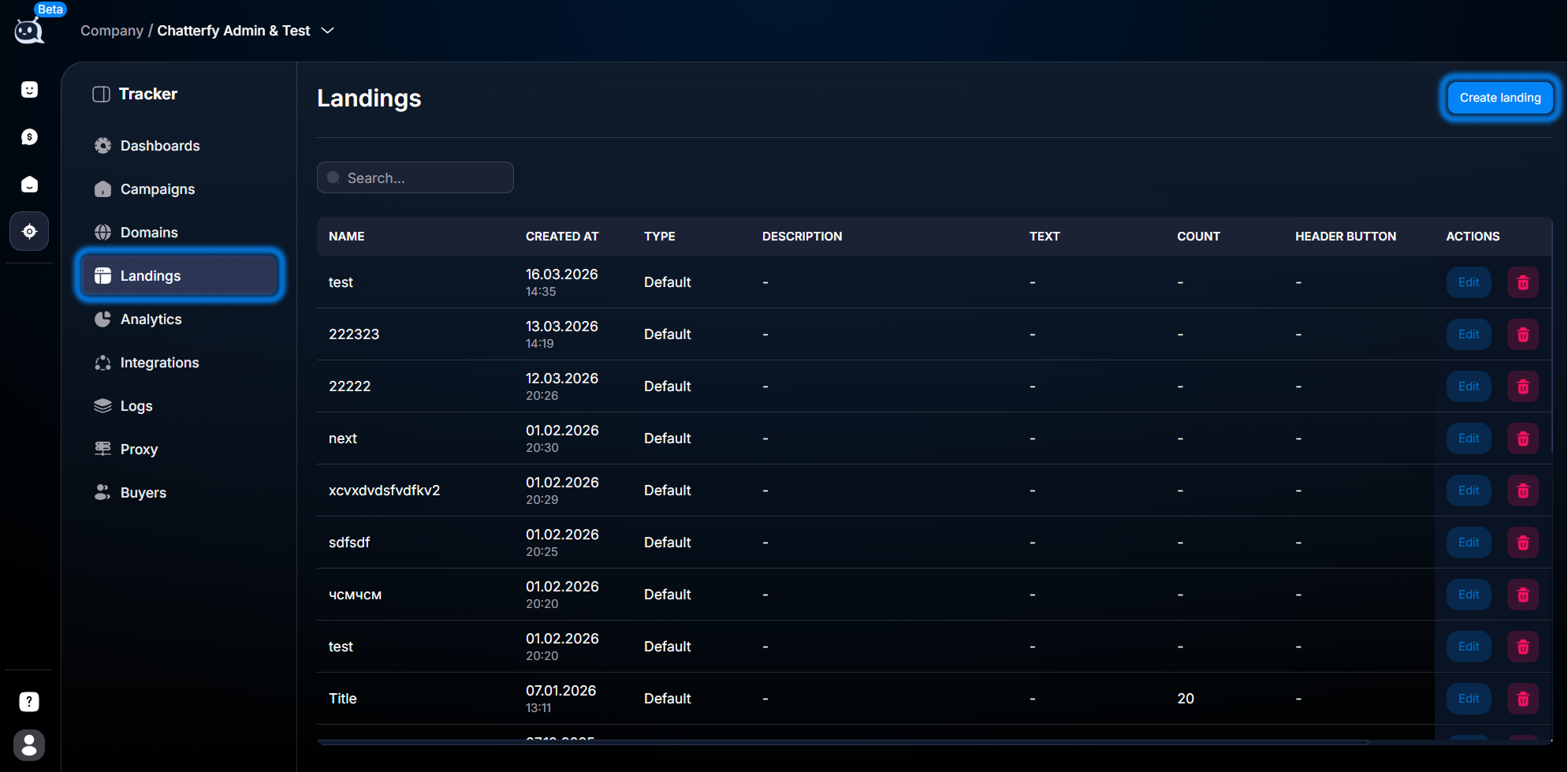
What’s inside


— How to create a landing page— the general creation flow: open the section, click Create landing, select the type, and fill in the fields. Applies to both
Default and Custom.— Default — standard template— a standard template with configurable fields (Title, Avatar, Description, buttons, subscriber Count). No HTML required, mobile-responsive out of the box.
— Custom — your own ZIP archive— upload your own ZIP archive with your own HTML / CSS / JS. Full design control, support for pixels, analytics, and interactive elements.
Default vs Custom — which one to choose
The main difference is control vs speed.
Default — set it up in 5 minutes and it works. Custom — you need a designer / frontend developer, but you have full control. Teams often start with Default and migrate to Custom when the traffic flow has stabilized and it’s time to optimize.Scenario | Landing page type | Why |
|---|---|---|
Launching a new offer; you need to test the setup quickly | Default | 5 minutes to set up. No risk of making a mistake in HTML. Iterate on hypotheses quickly. |
Branded showcase website for a serious client | Custom | Full design control. Your own font, colors, animations, and videos. |
A/B test of different promo arguments | Default × 2–3 | Create 3 Default landing pages with different text/images. Assign them to different campaigns or Sources. |
A complex page with interactive elements (quiz, calculator, video player) | Custom | Default does not support custom JS. Custom gives you full freedom. |
Analytics on the landing page (Google Analytics, FB Pixel) | Custom (or Default + Custom code) | Custom code in Default lets you insert analytics. If you need a larger integration, use Custom. |
Mobile-only landing page | Default | Default is responsive by default and is a perfect fit for mobile. |
Use cases by niche
- — Forex/crypto arbitrage: a
Defaultlanding page with the offer headline, an “expert” avatar, 2–3 social proof figures (“10,000+ members”, “average income $500”), and a large “Join the chat” button. SeveralDefaultvariants for A/B testing.
- — E-commerce: a
Customlanding page with a product showcase, reviews, and video reviews. It can include your own quiz (“size selection”); on theTrackerside, only the final button leading to theTelegramsupport channel or an order bot matters.
- — Support / SaaS: a minimal
DefaultorCustomlanding page with a single contact point — a “Message support chat” button. The key factors are loading speed and one clear goal.
- — Info business: a
Customlanding page with a sales funnel — headline, video invitation from the expert, course program, reviews, price, payment. After scrolling, a button leads to theTelegramchannel to “get a bonus” or directly to a bot for checkout.
Features
- —
Default: configure Title, Avatar, Description, Text, Count (number of subscribers), Header button, Button text. No HTML.
- —
Customcode inDefault: additional styles or scripts on the same page (when you need to extend it, but not rewrite it).
- —
Custom: upload a ZIP with index.html, CSS, JS, and images.Trackerreplaces the transition toTelegramautomatically (via the tracker attribute on the transition element).
- — Assign the landing page to different buyers via the Buyers field (as in ) — isolation between teams.
- — Use in (Landing field) — one landing page can be connected to multiple campaigns at the same time.
Where to start
- If you have never created a landing page before —.
- If you want a quick option without layout work —.
- If you want your own design —.
- If you don’t understand how a landing page is used in a campaign — (the Landing field).
- You uploaded a
Customlanding page, but tracking doesn’t work —.
Frequently Asked Questions
Articles in this section
Related


Was this article helpful?