

Information — Basic Campaign Identification
The Information tab is the first in the campaign settings list. This is where the basic identification is set: what the campaign is called, which domain and landing page it belongs to, and which Buyer
The Information tab is the first in the campaign settings list. This is where the basic identification is set: what the campaign is called, which domain and landing page it belongs to, and which Buyer is responsible for it. Without these 5 fields, the campaign cannot be saved.
When to come back here
When creating each new campaign. When changing the domain (you launched a new one and want to move traffic). When changing the landing page — you moved the offer to a new page. When handing the campaign over to another Buyer — change the Buyer. When you need to adjust the name for a report — Description is useful for short notes.
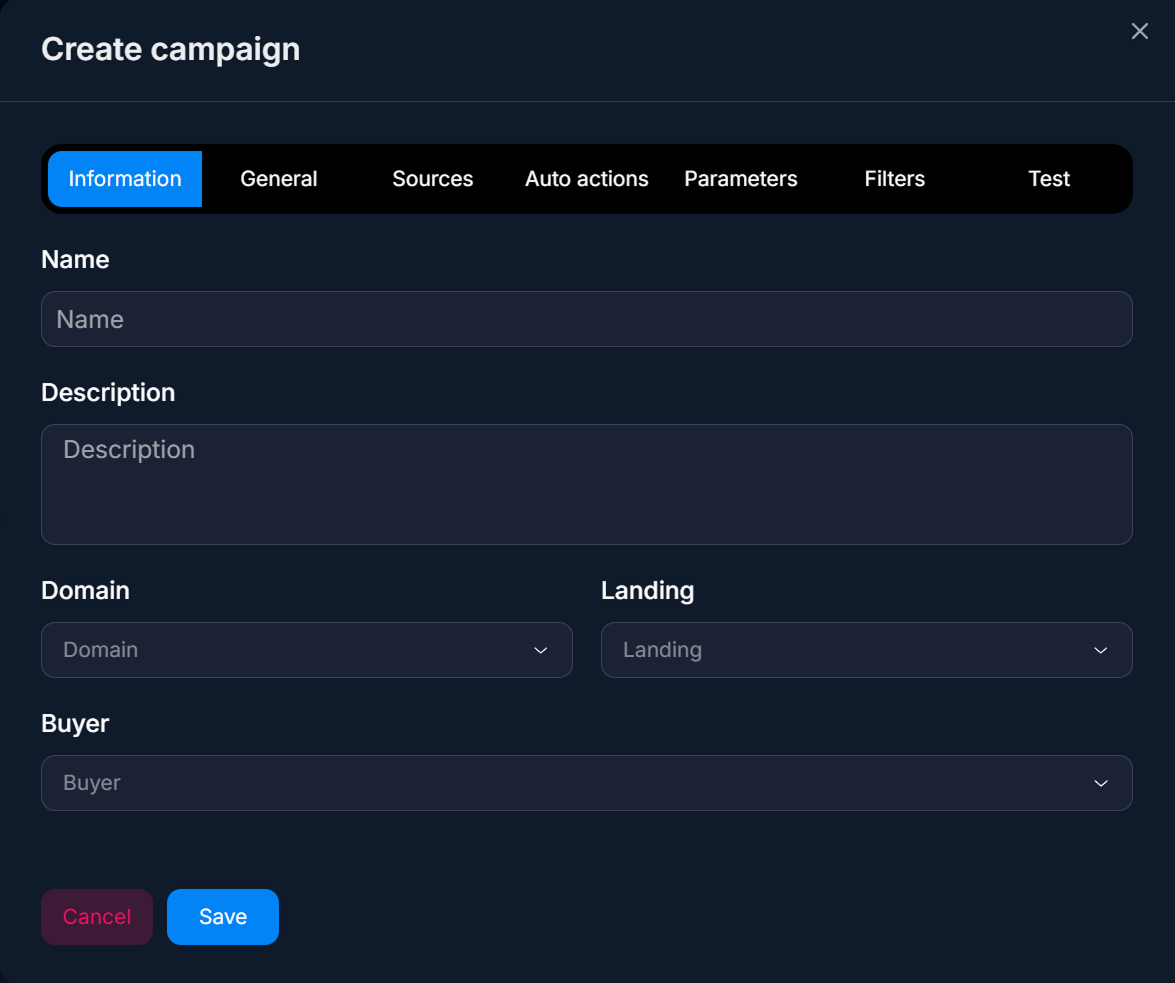
How it works
Information is the foundation of the campaign. The fields link the campaign to the infrastructure: the domain is taken from Domains — custom domains, the landing page — from Landings — Telegram redirect landing pages, the buyer — from Buyers — Buyers and Team Leads. If any of this is not configured, the selector will be empty, or you will see only the objects you are allowed to access.
The
Buyer field determines who will own the campaign. This affects visibility: the same Buyer will see it in Dashboards — Summary Analytics. The Buyer Team Lead will see it if this Buyer is on their team. Owner / Admin will always see it. If the Buyer has left the company, the campaign is reassigned by an Owner / Admin.
Parameters
Field | What it defines | Type / example |
|---|---|---|
Name | Campaign name. Visible in all lists, filters, and charts. Make it meaningful and unique. | FB | US | Forex | Q4-2026 |
Description | A short description for the team: campaign goal, specifics, notes. It is not passed to traffic. | A/B test of a new creative vs the old one |
Domain | A domain from the list of connected domains. The advertising link will be generated on it. | us.example.com |
Landing | A landing page from the list of created landing pages. The user will be sent to it after clicking the link. | Forex US v3 |
Buyer | The campaign owner. Sees it in Tracker under their Buyer / Buyer Team Lead role. | Ivan Petrov |
Name format
The team should use one naming format for all campaigns. This makes searching, sorting, and understanding the history easier.
Recommended format for traffic arbitrage:
Source | GEO | Offer | Date — for example, FB | DE | Forex | 2026-Q4. This makes it immediately clear what campaign it is in the list.For performance marketing:
Client | Channel | Goal | Period — for example, ShoeStore | FB | Sales | Nov-2026. Leave Description for details: “creative v3, lookalike 1% audience”.Usage examples
A/B test of two creatives — traffic arbitrage
Buyer launches two creatives for one offer. Creates two campaigns through How to create a campaignwith the same domain and landing page, but different Name values:
FB | US | Forex | Creative-A and FB | US | Forex | Creative-B. After launch, compares them in Dashboards — Summary Analyticsand keeps the one with a higher Reg → FD.Transferring a campaign from one Buyer to another
Buyer Ivan is going on vacation, and Masha takes over his campaigns. Owner opens each of Ivan’s campaigns via Edit, changes
Buyer to Masha in Information. Analytics and events are preserved — Masha now owns the campaigns and sees them in her Tracker.Multiple GEOs on one domain — performance marketing
The sales team runs an e-commerce offer in the US, Canada, and Australia. One domain
shop.example.com, different landing pages (shop-us, shop-ca, shop-au). Three campaigns with clear names like Shop | US | Aug-2026, and so on. Buyer is the same — the agency manager.What to consider
You can change the campaign name — it does not break clickid. You can change Buyer too, but when you do, historical analytics do not “move” to the new buyer — they remain with the campaign. You can change Domain, but this changes the ad link URL — old links in the ad account will stop working. You can change Landing — it is better to do it through Duplicate to keep analytics clean.
Frequently asked questions
Related


Was this article helpful?