

Telegram — Source Inside the Messenger
A Source with Provider = Telegram is needed when traffic comes directly from Telegram — without Facebook, Google, or another external advertising platform. This is a typical scenario for placements in
A Source with Provider = Telegram is needed when traffic comes directly from Telegram — without Facebook, Google, or another external advertising platform. This is a typical scenario for placements in third-party channels, native ads with bloggers, and reposts from your other channels.
When you need a Telegram Source
You ordered a placement in someone else’s channel (native ad, seeding, influencer) — you need an invite link for tracking. You drive traffic from your own teaser channel (insert a link in posts with a CTA to “open bot”). A partner places your link in their private groups. You want to run lead generation through a direct jump to the bot, without a website landing page. You are testing the hypothesis of a “viral” post with a CTA in Telegram.
How it works
This is the simplest Provider — no external API, tokens, or pixels. But it also does not send events back to an ad platform: Telegram does not have an “ad account” in the classic sense, so there is nowhere to send conversions. Analytics stays inside Tracker.
Three Telegram Source formats
When creating a Source, choose one of three formats:
Telegram channel
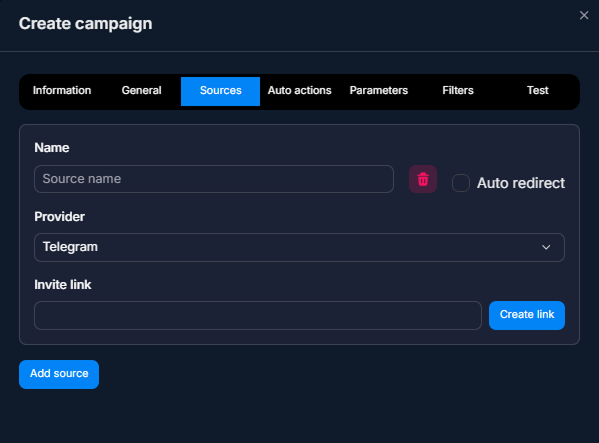
Suitable for a closed or private channel that requires an invite link with approval. You can:
— Insert a ready-made Invite link — take it from the channel and attach it to the Source. Tracker tracks clicks on this link.
— Create a link via Create link — Tracker will generate the invite link itself via the Telegram API. This is convenient if you have multiple sources and each one needs its own unique link.
This is a typical format for the classic Invite + DM — Hybrid Scenario setup (through a channel, then a DM bot).
Public Telegram
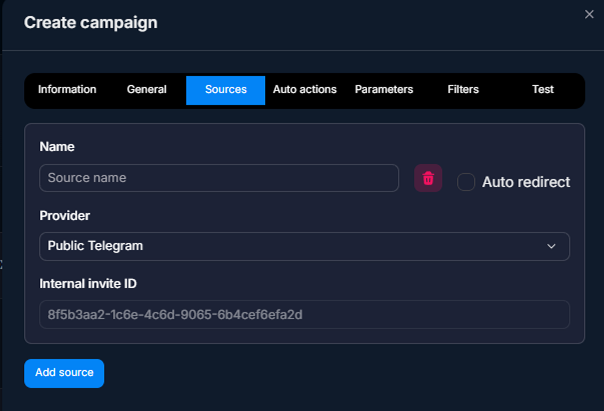
For an open (public) channel — where there is no approval and anyone can join via a link like
t.me/your_channel. After setup, Tracker creates an Internal invite ID — a unique link for tracking this source.Use it when the channel is public and you want to see in analytics where the subscriber came from. The link looks no different from a regular public link — the user will not guess that you are tracking them.
Telegram Bot
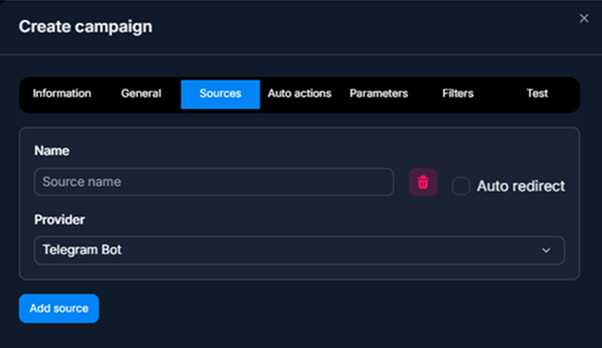
For sending traffic directly to the bot — without a channel. Tracker creates a link to the bot with a deep-link parameter. The user opens it, and the bot immediately starts the Flow.
Suitable when you do not need a channel (information business: “enter your email”; sales: “leave your contact details”) or when the channel is separate and you send traffic directly to the bot.
Source Fields
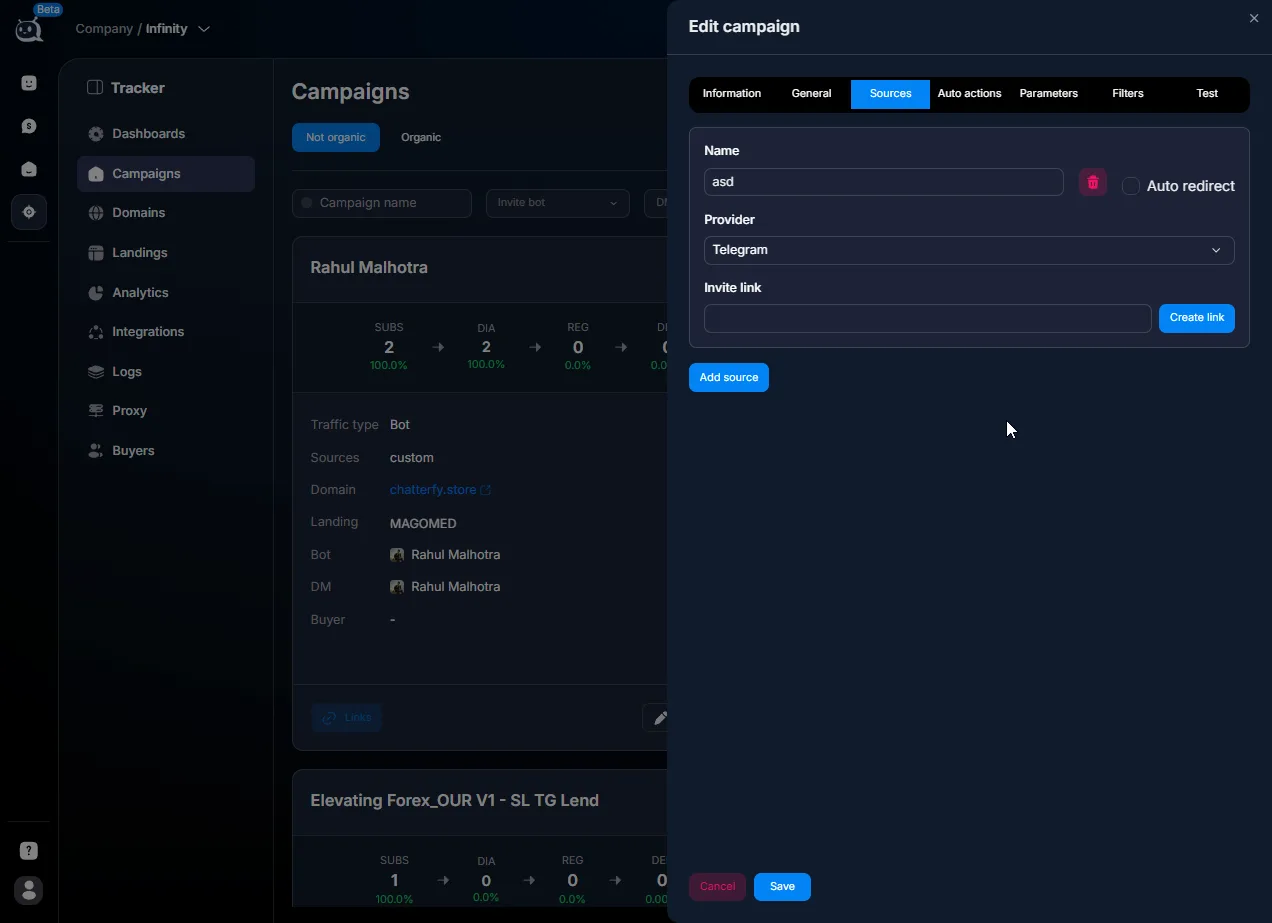
Field | What it defines | Type / example |
|---|---|---|
Name | Internal name of the source. Often named after the placement location. | Reposts-ChannelA |
Provider | Type. Select Telegram. | — |
Format | One of three: Telegram channel / Public Telegram / Telegram Bot. | — |
Invite link / Internal ID / Bot deep-link | Depends on the format. A ready-made link or one generated by Tracker. | https://t.me/+abc-xyz |
Auto redirect | Redirect along the campaign route after a click. | on / off |
Usage Examples
Placement in someone else's channel — arbitrage / promo
A Buyer has arranged to place a post in a popular forex channel. They create a Telegram-Source with the Telegram channel format and generate an invite link via Tracker. They send the link to the channel owner, who inserts it into the post. After publication, the Buyer sees in Dashboards: clicks, subscribes, transition to the DM bot, registrations. This provides precise ROI measurement for each placement.
Multiple variants of one channel — A/B test
A Buyer wants to test two ad variants in the same external channel (image A vs image B). They create two Telegram-Sources with different invite links. They send the owner two links, and the owner publishes both posts on different days. Tracker shows which image generated more clicks and conversions.
Direct transition to the bot — sales / b2b
The sales team wants to automate answers to simple customer questions. They create a Telegram-Source with the Telegram Bot format. They add the link to the email campaign signature, the LinkedIn profile, and the community Telegram group. They get a breakdown of which channel drives more clicks to the bot.
Internal seeding — performance marketing
The company has several of its own Telegram channels. On the main channel (with a large audience), they publish a post inviting users to a new subsidiary channel. They use a Telegram-Source with the Telegram channel format. They see how many subscribers migrated from the main channel to the subsidiary one.
What to keep in mind
Telegram-Source does not send events back — there is no S2S API like Facebook / Google. Analytics is available only in Tracker. An invite link for a private channel works once per user — a repeat click by the same user is not counted. Telegram has a limit on the number of invite links for a channel (usually 50). Do not create them uncontrollably — recycle old ones. Auto redirect = on simulates an instant transition along the campaign route. off — the user will see an intermediate screen.
FAQ
Related

недоступна

Invite + DM — Hybrid Scenario
The hybrid “Invite + DM” scenario is a classic traffic arbitrage setup. The user clicks an ad, lands on a landing page, goes to a bait Telegram channel, submits a join request, Invite Bot approves it,


Was this article helpful?