

General — user journey
The General tab determines what happens to the user after they click the ad link: whether they land in the channel or go straight to the bot, who receives them, which Flow starts, and who captures the
The General tab determines what happens to the user after they click the ad link: whether they land in the channel or go straight to the bot, who receives them, which Flow starts, and who captures the first message in DMs. This is the layer between “traffic from ads” and “lead in
CRM”.When to come back here
When creating each new campaign. If you change the lead receiver (new bot, new channel). When setting up a hybrid “channel + DM bot” scenario — Invite + DM — Hybrid Scenario. When changing the Flow or Start Step — for example, after rebranding the funnel. If
Approval time needs to be adjusted — leads don’t have time to pass moderation or, conversely, are approved instantly.How it works
General defines two routes:
—Channel— the user first lands in a
Telegram channel. They submit a join request, the Invite Bot approves it (or the system approves it automatically based on Approval time). After joining, the DM bot sends them a private message and captures the Contact. This is the classic traffic arbitrage scenario.—Bot— the user opens the bot right away and taps
Start. This is shorter, with no channel. Suitable when a channel isn’t needed — for example, an info-business scenario: “leave your contact with the bot, and we’ll get in touch.”The main idea:
Contact is the point where “traffic” becomes a “lead.” Before Contact, postbacks from the affiliate network are not linked. Who captures the Contact is determined on this tab.
Parameters
Campaign traffic type
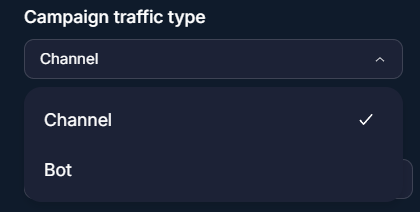
One of two options:
Channel (through a channel, then DM) or Bot (straight to the bot). This determines which fields below become available.Invite Bot / Bot
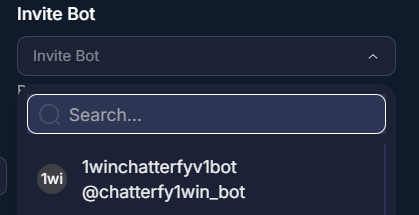
For the
Channel type — select an Invite Bot, the bot that receives join requests (Invite type in Статья). For the Bot type — select the Standard bot that leads land in.Channel
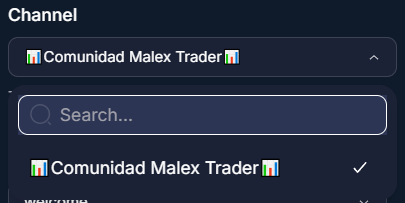
Available only for the
Channel type. The Telegram channel that leads join. The Invite Bot must be assigned as an admin of this channel with permission to approve join requests.Start Flow and Start Step
Which Flow and from which Step starts for the lead after the first
Contact. For details about Flow and steps, see Статьяand Статья. Usually this is an entry Flow with a greeting and AI Reply.DM bot (only for the Channel type)
A Standard bot that messages the lead privately after they join the channel. The DM bot catches
Contact, starts the Flow, and carries on the conversation. Without a DM bot, after joining the channel the lead is left “hanging” — postbacks are not linked.Start Flow and Step for the DM bot
A separate Flow + Step pair — what to execute specifically in the DM bot after the lead's first message. Often this is simply a greeting + transition to
AI Reply.Approval time
The time in seconds from submitting a request to join the channel until it is automatically approved (if Invite Bot does not approve it itself). Used to simulate “human” moderation — instant approval looks suspicious to
Telegram.Typical values: 30–180 seconds. Less than 30 —
Telegram spam filters may treat it as automatic approval and penalize the channel. More than 5 minutes — leads get lost in the queue.Summary table of fields
Field | Traffic type | What it defines |
|---|---|---|
Campaign traffic type | — | Channel or Bot. The root choice. |
Invite Bot | Channel | The bot that accepts channel join requests. |
Bot | Bot | Standard bot for direct entry. |
Channel | Channel | Destination Telegram channel. |
Start Flow / Start Step | both | Entry point into the CRM funnel for the main bot. |
DM bot | Channel | Standard bot that sends a DM after joining. |
DM Start Flow / Step | Channel | Entry point into the funnel for the DM bot. |
Approval time | Channel | Auto-approval delay for channel join requests, in seconds. |
Use cases
Hybrid Invite + DM — arbitration (classic)
The buyer launches a Forex offer. Type = Channel. Invite Bot =
@forex_invite_bot (join request handler). Channel = @forex_signals_us (public bait channel). Approval time = 60. DM bot = @forex_assistant_bot (Standard, with AI Reply and tracking steps). Start Flow for the DM bot: greeting → identifying interest → sending a registration link with {{tracker.clickid}}. Details — Invite + DM — Hybrid Scenario.Direct bot — info business
A course creator launches an ad with the CTA “leave your contact details with the bot, and we will get in touch.” Type = Bot. Bot =
@course_assistant (Standard). Start Flow: greeting, asks for name, phone number, and what they are interested in. No channel, no moderation. The lead goes straight to CRM.Sales bot for lead qualification
A B2B team drives LinkedIn traffic to a
Telegram bot. Type = Bot. AI Reply qualifies leads: company size, budget, deal cycle. If qualification is successful, Auto Action switches them to the “hot” Flow with a notification to the sales manager. No channel is needed.What to keep in mind
The Invite Bot must be a channel admin with permission to “approve join requests” — otherwise the request handler will not work and requests will remain pending. The DM bot must be a Standard type (not Invite, not Personal). If Approval time = 0,
Telegram may detect it as an auto-bot and issue a warning to the channel. Changes in General are applied immediately — if the campaign is already driving traffic, new leads will follow the new route, while existing leads will keep their old context.FAQ
недоступна

Invite + DM — Hybrid Scenario
The hybrid “Invite + DM” scenario is a classic traffic arbitrage setup. The user clicks an ad, lands on a landing page, goes to a bait Telegram channel, submits a join request, Invite Bot approves it,

недоступна
недоступна
Was this article helpful?