

Filters — traffic filters
The Filters tab is a campaign-level system for filtering out non-target traffic. A user who does not meet the conditions is redirected to a separate URL (you specify which one). Those who pass go to t
The Filters tab is a campaign-level system for filtering out non-target traffic. A user who does not meet the conditions is redirected to a separate URL (you specify which one). Those who pass go to the landing page as usual.
When to use Filters
The offer is targeted at a specific GEO — you don’t want to spend leads from other countries on the same landing page. The affiliate network has country restrictions (for example, casino does not accept RU/UA) — filter them out before the click. The landing page is not optimized for mobile or desktop — filter by device. You want an experiment: iOS traffic to one page, Android traffic to another (via two different landing pages and two different Sources). Bot protection: some bots scrape the landing page from servers in non-target countries — the filter sends them nowhere.
How it works
If a visitor meets all conditions, they see the landing page as usual. If at least one condition is not met, the system redirects them to the specified URL. This can be a 404 page, a neutral placeholder page, a competitor’s landing page (for arbitrage scenarios), or another page of yours.

Parameters
Field | What it defines | Type / example |
|---|---|---|
Available countries | List of allowed countries by ISO codes. If left empty, everyone is allowed through. | US, CA, UK, AU |
Available device | Device type. You can select one or more. | Mobile / Tablet / Desktop |
Available OS | Operating system. Again, one or more. | iOS / Android / MacOS / Windows |
Redirect | Action for non-target traffic. Defines what happens to users who do not pass the filter. | redirect / 404 |
URL | Redirect link. Used when Redirect = redirect. | https://decoy.example.com |
Steps
Open the Filters tab
Inside the campaign settings.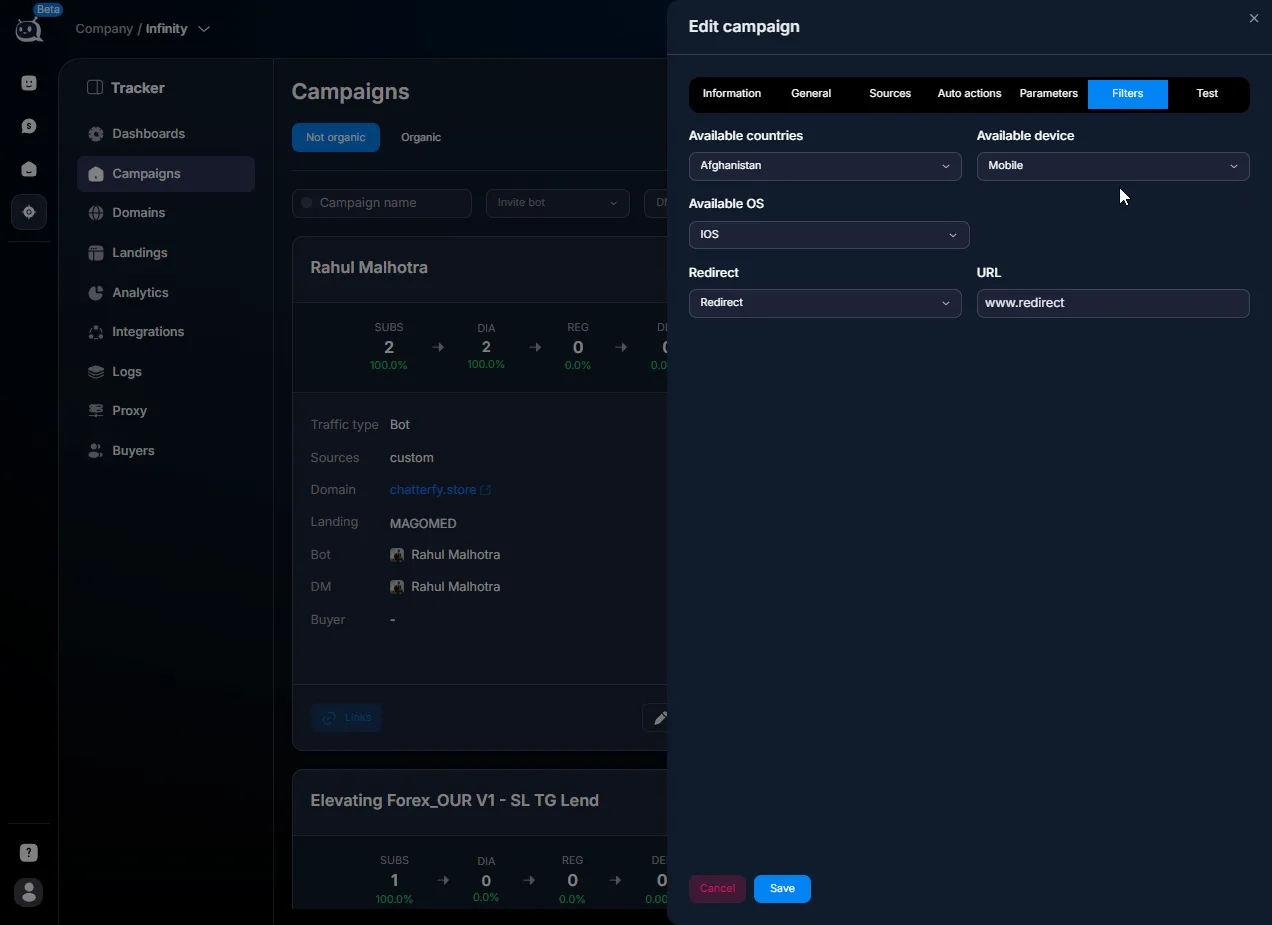
Select countries
In the Available countries multi-select, select the countries that are allowed access. The list uses standard ISO codes.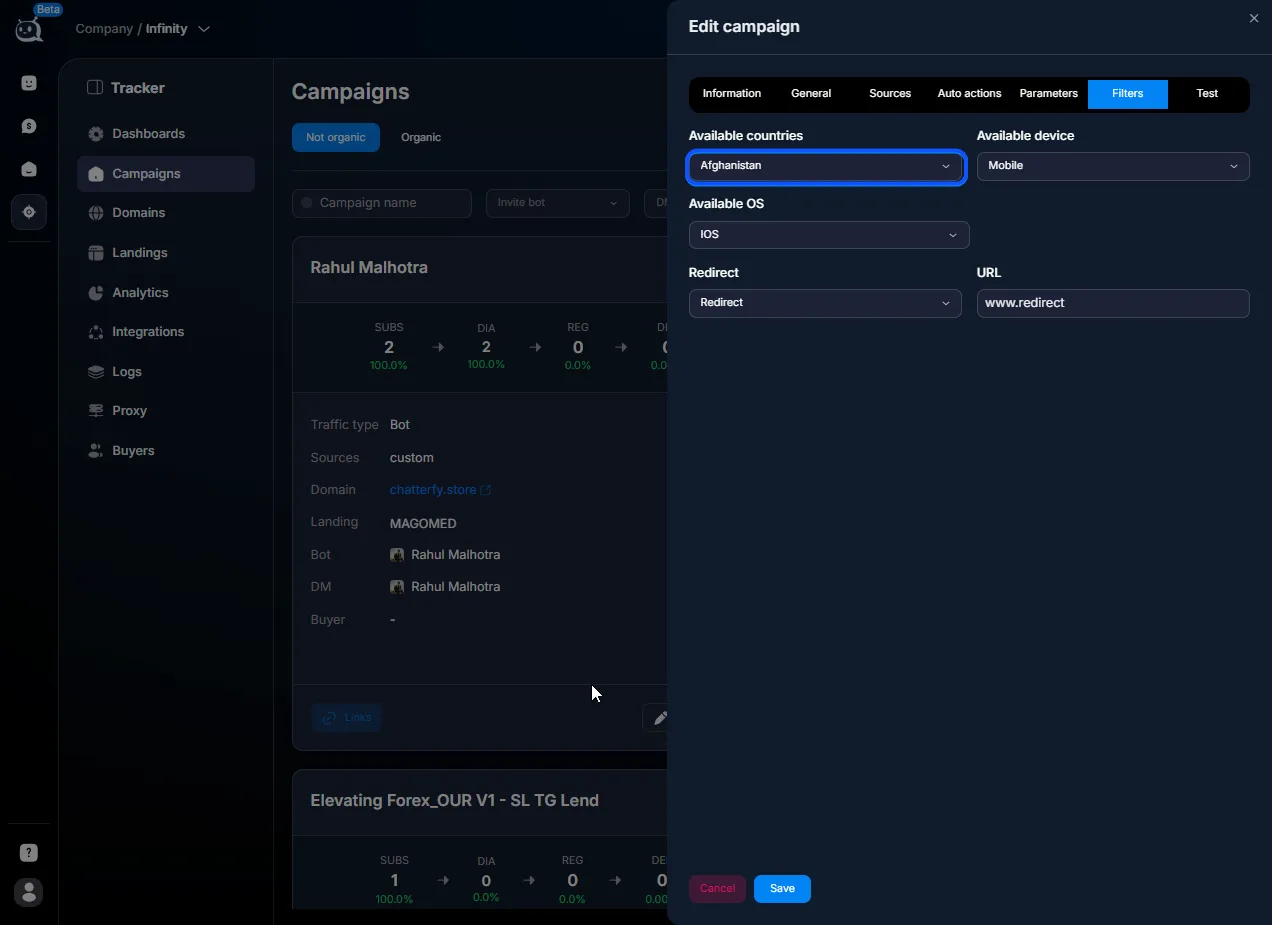
Select devices and OS
If the offer is mobile-only, leave only Mobile in Available device. If it is iOS-only, set Available OS = iOS. If all options are supported, leave everything selected or do not set anything.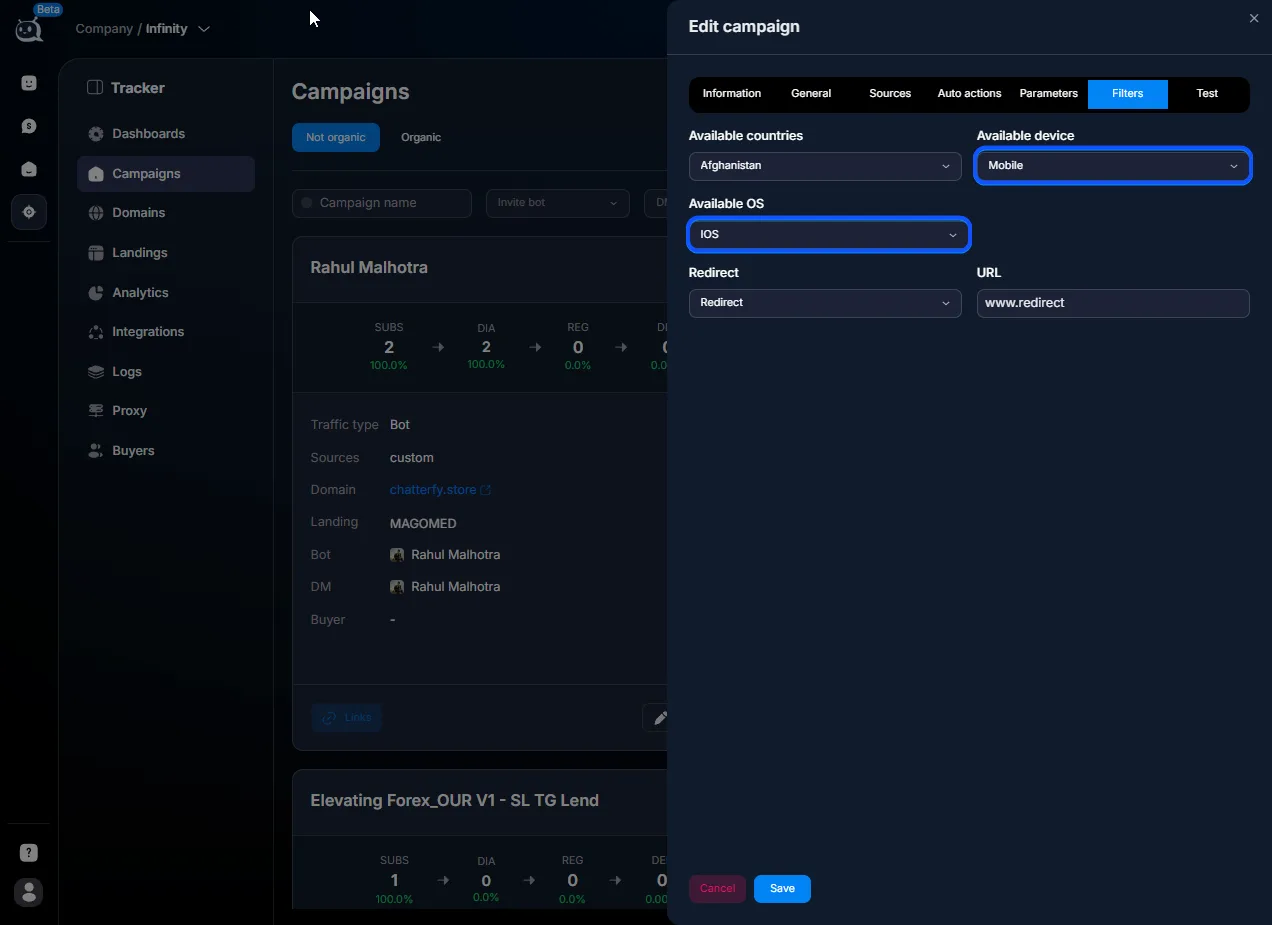
Specify the redirect URL
Where to send non-target traffic. This can be a “sorry, not available in your region” page, a neutral domain, or nothing (404).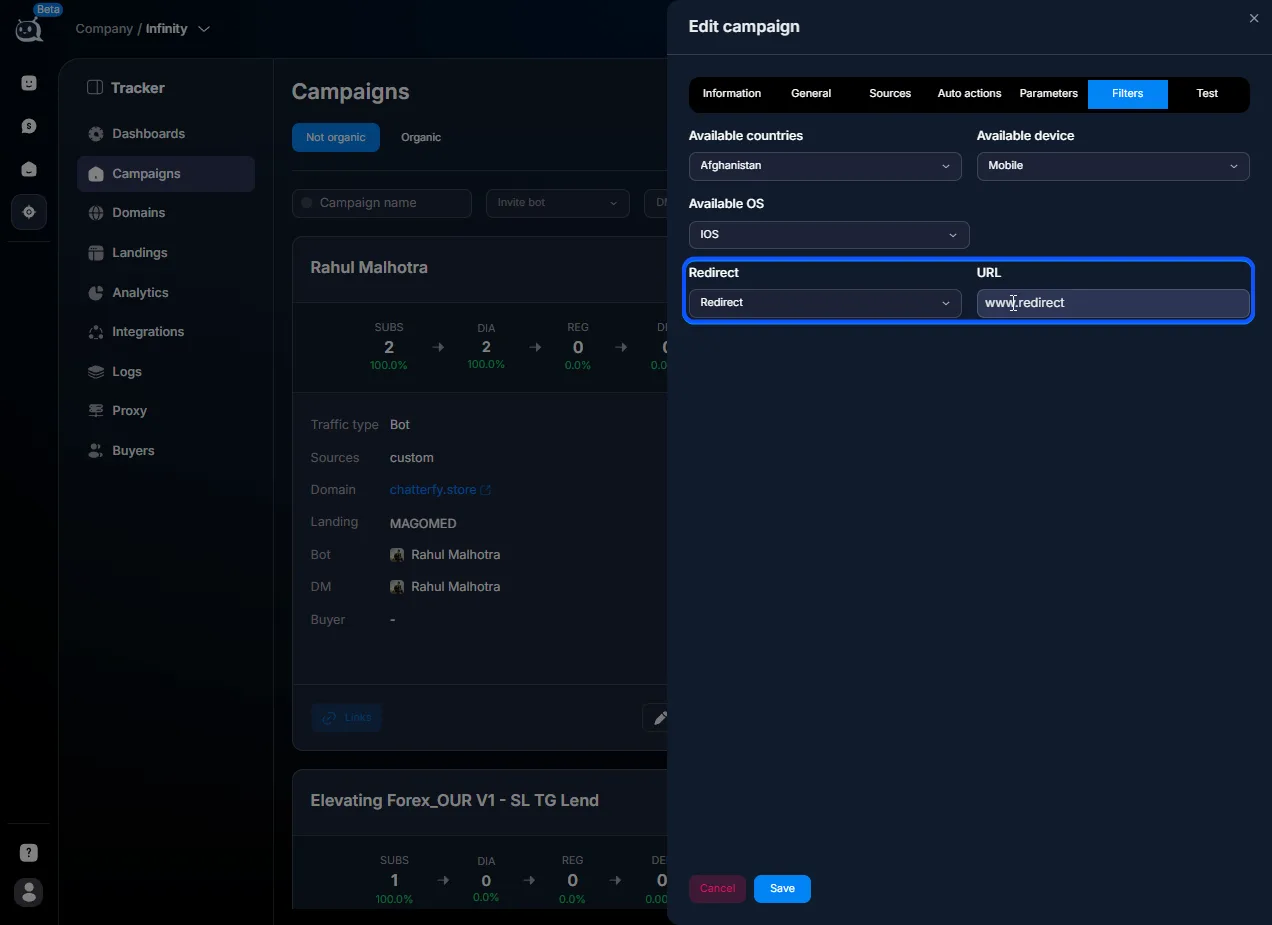
Save
Filters apply to new clicks. Existing leads that have already passed through remain unchanged.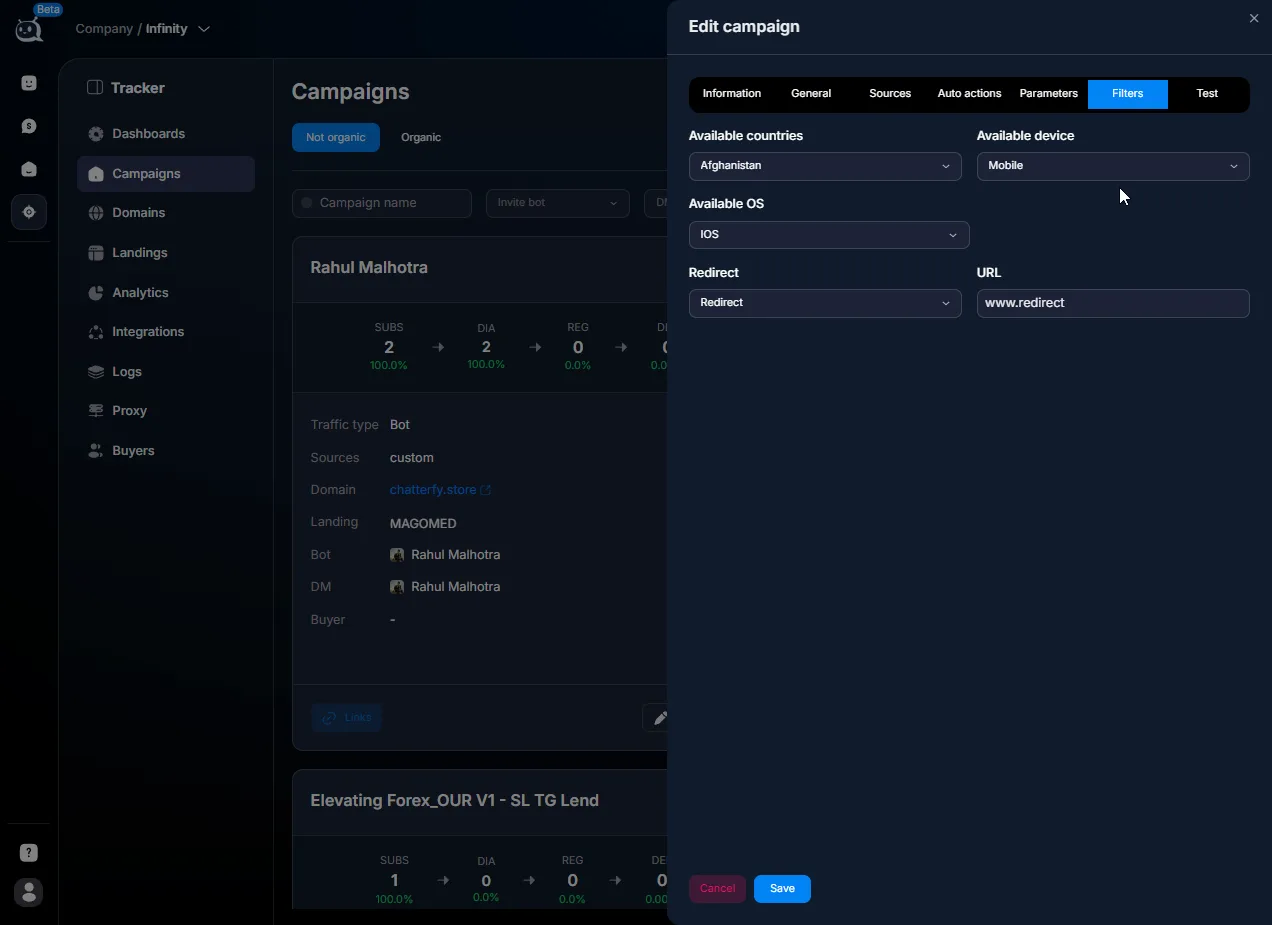
Use cases
GEO-targeted offer — media buying
A buyer is sending traffic to a casino offer for Tier-1 GEOs (US, CA, UK, AU). Available countries = US, CA, UK, AU. The redirect URL is a neutral page saying “casino is available only in the specified countries.” This protects the budget: traffic from other countries (organic traffic, parsers, curious users) does not waste landing page views.
Mobile traffic only — media buying
The landing page is optimized only for mobile (vertical layout, large buttons). Available device = Mobile + Tablet. Desktop traffic is redirected to the company website homepage. On mobile, the conversion rate is 8%; before the filter it was 4% (desktop was dragging down the average).
iOS vs Android split — performance marketing
The offer has two different landing pages: one for iOS with “download on the App Store” and one for Android with “Google Play.” Create two campaigns. In one, Available OS = iOS. In the second, = Android. OS targeting in Facebook ads is not perfect, so the filter on the Tracker side gives you control.
Protection from parsers — performance marketing
A performance agency notices that 20% of traffic comes from countries where they are not buying traffic (Russia, Ukraine, China). These are parsers or fraud. Available countries = US, UK, DE. In parallel, in Proxy — proxy for S2S they change proxies. Fake traffic is filtered out, and conversions become cleaner.
What to keep in mind
The redirect URL must open without 404 or SSL errors; otherwise, non-target traffic goes “nowhere” (bad for UX and bad for the ad platform’s SEO). Country detection by IP is not 100% accurate: VPNs and mobile proxies can interfere. If you have 2–3% “mismatches,” that is normal. Filters are applied at the click stage, before the user goes to Telegram. If the user is already in Telegram, it is too late for the filter. You can change Available countries for an active campaign; changes apply instantly to new clicks.
FAQ
Relation to other sections


Was this article helpful?