

How to remove the keyboard (reply keyboard) for a lead
Reply Keyboard in Telegram is a set of buttons that appear at the bottom of the lead’s screen (replacing the system keyboard). They are useful for quick replies at the beginning of a conversation, but
Reply Keyboard in Telegram is a set of buttons that appear at the bottom of the lead’s screen (replacing the system keyboard). They are useful for quick replies at the beginning of a conversation, but later in the funnel they often get in the way — the lead gets “stuck” on the buttons instead of regular messaging.
To hide the keyboard, you need a separate Send Message step with the
Hide Keyboard checkbox enabled.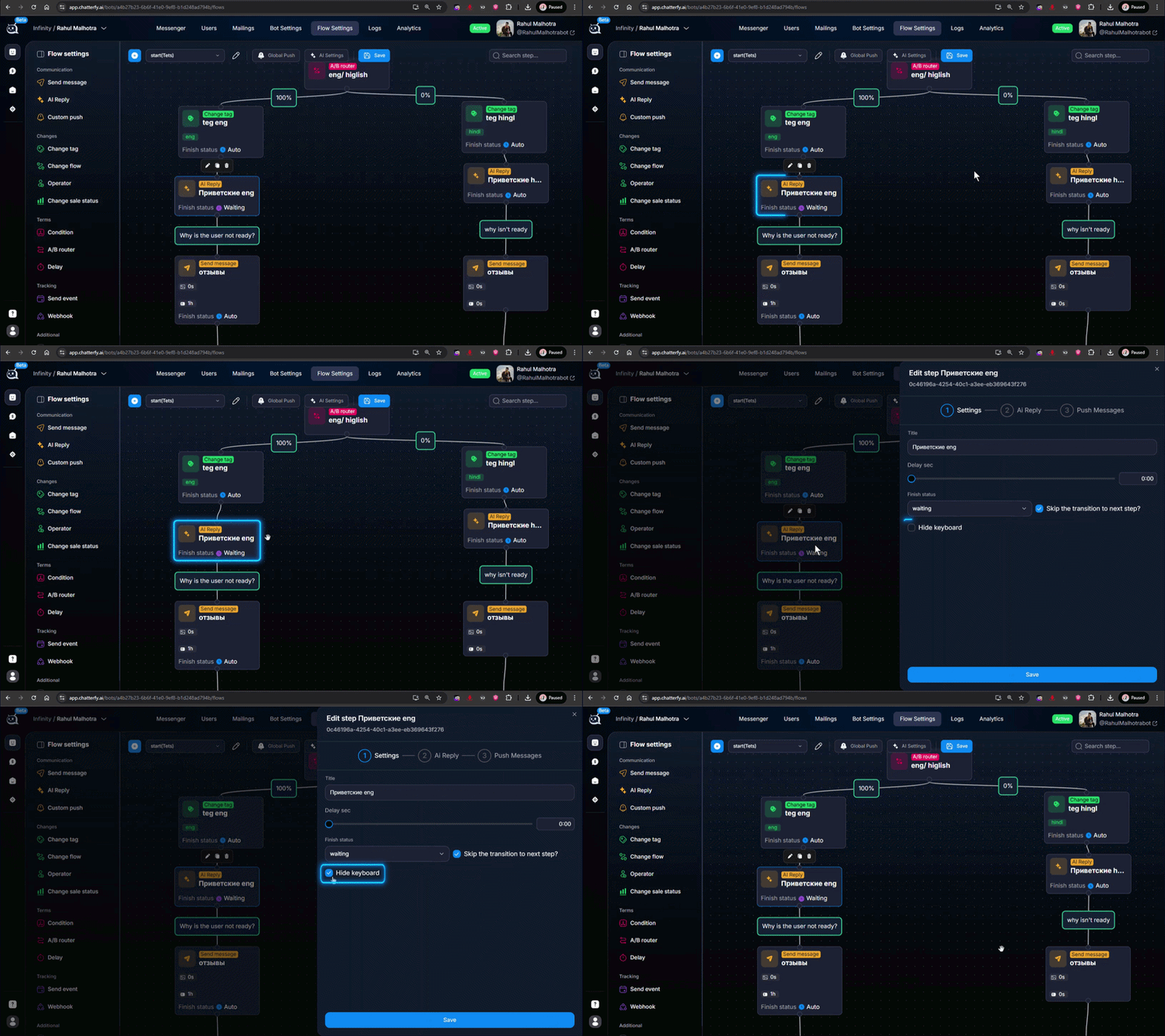
How to configure
Create an intermediate Send Message
In Flow Settings add a new step of type Send message — sending a prepared message between the step with the keyboard and the next step where it is no longer needed.Enable Hide Keyboard
In this step’s settings, find theHide Keyboardcheckbox and enable it. The step text can be minimal — for example, a period or a short transition like “Thanks!”. The main thing is that Telegram receives the command to hide the keyboard.Make the step pass-through
Do not set Finish Status = Waiting or Skip — this step should complete instantly. After it, the flow continues, the lead’s keyboard is already hidden, and you can communicate with regular messages.
Are inline buttons hidden too?
No. Inline buttons (under a specific message) and reply keyboard (at the bottom of the screen) are different Telegram mechanisms. Hide Keyboard removes only the bottom reply keyboard. Inline buttons disappear on their own after being clicked or when the message is deleted.
To prevent this from happening again
If the funnel has many steps with a keyboard, add a final “closing” step after this part is completed. This gives you one place where the keyboard is hidden, instead of spreading it throughout the flow.
Frequently asked questions
Related


Was this article helpful?