

How to hide chats between agents
By default, all bot operators see all chats in . This is convenient for a small team, but for teams of 5+ people or agencies with multiple clients, you need to separate visibility so each operator wor
By default, all bot operators see all chats in Messenger. This is convenient for a small team, but for teams of 5+ people or agencies with multiple clients, you need to separate visibility so each operator works only with their own leads.
The solution is to enable Assign Manager and one of the two filtering options in General — basic bot settings (the Assignment Managers section).
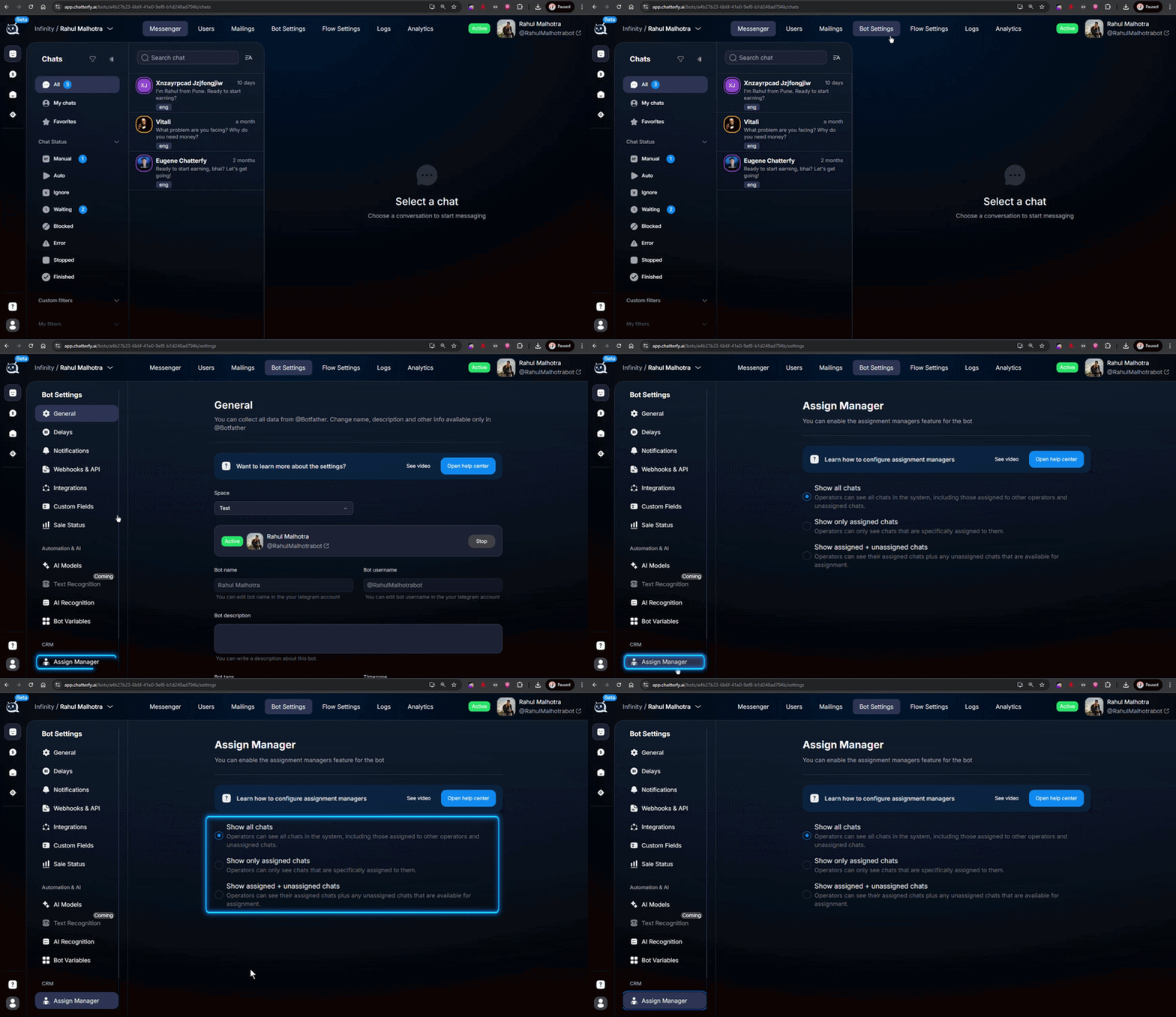
Two filtering options
Show only assigned chat — the operator sees only the chats where they are explicitly assigned via Assign Manager. The strictest mode: everything is “their own,” with no one else’s chats.Show assigned + unassigned chats — the operator sees their own chats + chats without an assigned manager. A good compromise for teams: new leads go into a shared pool, and the operator can take them or wait until they are assigned to someone specific.If both options are disabled, the operator sees everything (the default behavior).
How to assign leads to operators
There are several ways to assign a manager to a lead:
Manually from Users
Open Users, select the required leads, clickEdit Chats, and choose an operator. This is suitable for one-time manual assignments.Via the Operator step in a flow
In the scenario, add Operator — assigning an operator — it automatically assigns the lead to a specific operator or routes the lead between multiple operators according to a rule. Useful for automatically distributing new leads.Default auto-Assign
In Assign Manager — chat distribution you can configure automatic distribution of all new chats among operators by percentage (50/50, 33/33/33, etc.). The lead gets an operator as soon as the chat is created.
To prevent this from happening again
Enable Assign Manager as soon as your team grows to 3+ people. Otherwise, operators keep “bumping into” the same leads, lose the context of their colleague’s conversation, and get confused by statuses. With Assign Manager + auto-assignment, everyone works their own queue.
Frequently asked questions
Related


Was this article helpful?