Skip to content
ChatterfyHelp Center
HomeGeneralCRMAI ManagerTrackerPlatformsFAQUpdate log
FAQ
Tracker Errors
Telegram Errors
FAQs
Frequently Asked Questions
The bot stopped accepting channel join requests — why?
Do I have to keep my balance above $100?
AI takes a long time to respond / works slowly
Channel not visible when creating a channel campaign — how to fix it?
I imported a flow, but the bot is still following the old funnel
Why the AI Doesn't Skip a Step If the Lead Has Already Answered Appropriately
How to make the bot wait for a lead's reply
How to remove the keyboard (reply keyboard) for a lead
How do I restart a funnel for a lead?
Requirements for Uploading a Custom Landing Page
Uneven A/B testing — 90% to one branch, 10% to the other
Voice message without visualization (waveform)
Why conversations and events are not tracked — only Subscribe
How to Send a Round Video Message (Video Note) Correctly
How to avoid video compression when sending videos
How to hide chats between agents
  1. FAQ
  2. FAQs
  3. How to avoid video compression when sending videos

How to avoid video compression when sending videos

The video is sent distorted, in poor quality, or its aspect ratio changes — this is the result of automatic transcoding by Telegram. Telegram compresses videos when sending them if the file exceeds ce

Updated June 21, 20263 min
The video is sent distorted, in poor quality, or its aspect ratio changes — this is the result of automatic transcoding by Telegram. Telegram compresses videos when sending them if the file exceeds certain limits — both for the sender (via Bot API) and for the recipient (via the client app).
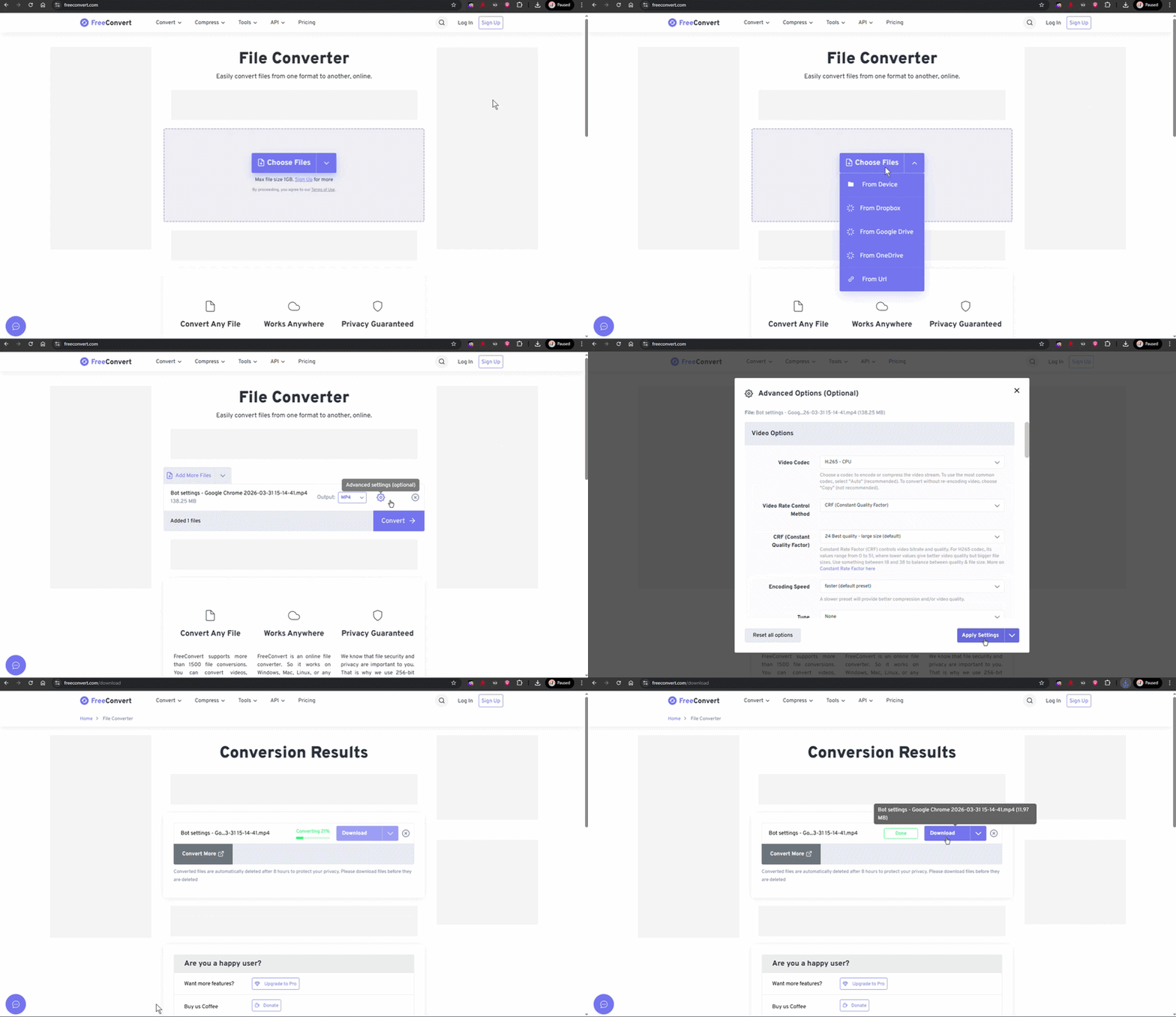
Uploading a video in Send Message
Upload videos up to 10 MB in the H.265 codec for better quality


Video size limits

Up to 10 MB — recommended size. Telegram will send it without transcoding; the lead will see exactly the same file that was uploaded.
10–20 МБ — Telegram может перекодировать. На стороне платформы Chatterfy верхний лимит — 20 МБ для медиа в Send Message (документы — отдельно, до 50 МБ).
Over 20 MB — the platform refuses to accept the media. The upload will not go through.
Documents (sent as a file, not as a video) — up to 50 MB. The lead will download the original, but in the chat it will be shown as a file, not in a video player.


How to reduce the size without losing quality

Use the H.265 (HEVC) codec — it produces roughly half the file size at the same quality compared to the older H.264. Most modern video editors support export to H.265.
Using ffmpeg:
Перекодирование видео в H.265 для уменьшения размераbash
ffmpeg -i input.mp4 -c:v libx265 -crf 28 -preset slow -c:a aac -b:a 96k output.mp4
The -crf 28 parameter controls quality (lower = better; typical range is 23–28 for the web). For talking-head videos, you can set 28–32 to save size. For polished product visuals, use 23–25.
To prevent this from happening again
If your content is video, build ffmpeg into your workflow. A single “compress before upload” script pays for itself in a week or two — you will no longer have to guess why the lead received a “blurry” video. A good CRF + H.265 + the right audio bitrate (96 kbps is enough for voice) give you quality video within 10 MB for durations up to 60 seconds.
Do not use Telegram Web to upload videos to the bot
Uploading a video through the Telegram web client (for debugging or copying from a chat) gives the most aggressively compressed version — Telegram recompresses it right in the browser. Use the desktop app or upload the file directly in the Send Message step.


FAQ

The Telegram client on the lead’s side decides which quality to download. If the lead is roaming or has a slow internet connection, they will receive a “preview” (low quality), and the full version will be downloaded when they tap the video. This is Telegram behavior; we cannot influence it on our side.

Through Bot API — no. If you want to deliver exactly the original, send it as a document (file, not video). Then Telegram will not transcode it. The downside is that the lead will see a file, not a player: they need to tap “download” to watch it. Suitable for high-quality promo videos or tutorials.

iPhone saves videos with orientation metadata, and some converters lose it. In ffmpeg, add -metadata:s:v rotate="0" and -vf "transpose=..." if you need to rotate it. Alternatively, open the video in an editor on the phone (Photos) and save it — this will “fix” the orientation.

Telegram Premium lets leads receive files up to 4 GB, but this applies to manual sending in a chat. Bot API limits for us remain the same — up to 50 MB as a file, up to 20 MB as a video. Premium on the bot does not let it exceed these limits.


Related

How to Send a Round Video Message (Video Note) Correctly
A video note in Telegram is a short square video in a circular frame, like in the Telegram app when recording via the microphone. For the file to be displayed specifically as a “circle,” and not as a
Voice message without visualization (waveform)
A voice message in Telegram is a special format: a round microphone icon + an animated sound volume visualization (waveform). For Telegram to recognize a file as “voice” rather than a regular audio tr
Send message — sending a prepared message
The Send message step is the most basic flow step. It sends predefined content: text, an image, a document, a voice message, a video note, buttons. Unlike AI Reply, there is no AI here and no generati

Was this article helpful?

BackКак правильно отправить видео-кружок (video note)NextHow to hide chats between agents

On this page

  • Video size limits
  • How to reduce the size without losing quality
  • FAQ
  • Related