

AI takes a long time to respond / works slowly
The AI does not respond immediately — this is almost always the result of deliberately configured delays, not “slowness” from the neural network. In Chatterfy, delays are used to make the conversation
The AI does not respond immediately — this is almost always the result of deliberately configured delays, not “slowness” from the neural network. In Chatterfy, delays are used to make the conversation feel more natural — the lead sees that the bot is “thinking” and does not suspect automation. But if the delay is too long, the response feels slow.
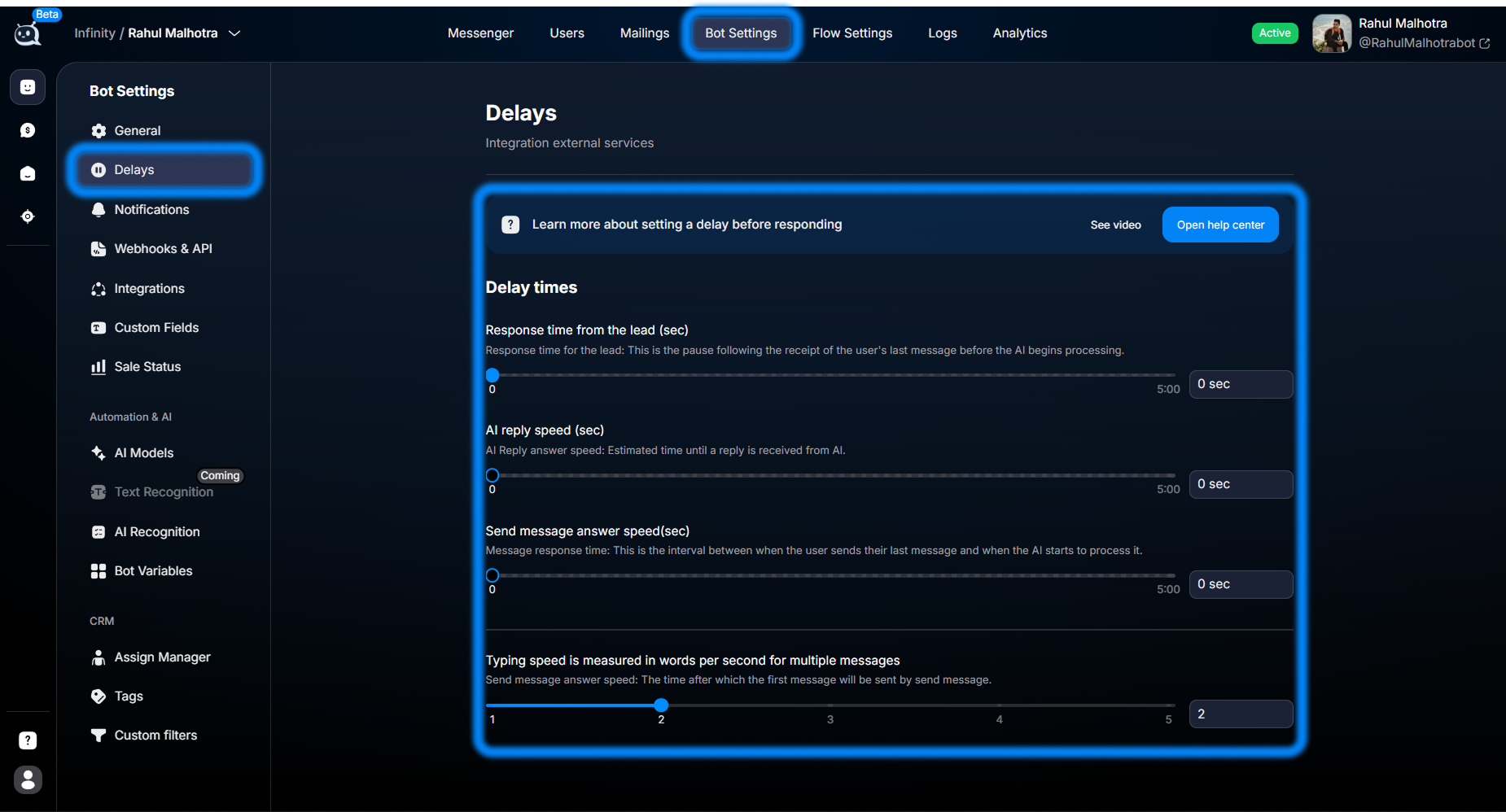
What slows down the response
The total time from “clicked Send → response arrived” is affected by three sources:
Delays from Delays — bot delays —
Response time from the lead (pause before processing), the AI Reply delay, and typing simulation speed (typing). This is the most common cause.The speed of the model itself. Heavy models (logic on large Claude / GPT-5) produce a high-quality response, but take longer to generate it. Lightweight models are faster. This is configured in AI Models — Complete Guide to AI Models in Chatterfy.
Prompt length. If AI Settings — Bot Personality contains a huge Legend, many Restrictions, and Reply Addition Info, the model spends time reading the context before generation.
How to speed it up
Check Bot Settings → Delays
Open Delays — bot delays. The most common culprit isResponse time from the leadabove 5–10 seconds. Lower it to 1–3 seconds if you want faster responses, or to 0 if no delay is needed. AI Reply delay also matters — it is added on top of generation time.Change the model for response generation
In AI Models — Complete Guide to AI Models in Chatterfy you can choose separate models for logic (routing, understanding) and for response text. Lightweight models for text (for example, Haiku-class) produce a response in 1–3 seconds instead of 5–10. Keep logic on a strong model for critical steps.Shorten the prompt
In AI Settings — Bot Personality remove anything unnecessary from Legend and Restrictions. The goal is a short, specific set of instructions. How to write good prompts — Prompt Patterns.
To prevent this from happening again
When configuring a new bot, set delays deliberately. Ask yourself: “how quickly should a live operator in my niche respond?”. For traffic arbitrage, usually 5–15 seconds; for support, 10–30; for premium service, up to 60. Too fast is also bad: automation gives itself away.
Frequently asked questions
Related


Was this article helpful?