Skip to content
ChatterfyHelp Center
HomeGeneralCRMAI ManagerTrackerPlatformsFAQUpdate log
FAQ
Tracker Errors
Telegram Errors
FAQs
Frequently Asked Questions
The bot stopped accepting channel join requests — why?
Do I have to keep my balance above $100?
AI takes a long time to respond / works slowly
Channel not visible when creating a channel campaign — how to fix it?
I imported a flow, but the bot is still following the old funnel
Why the AI Doesn't Skip a Step If the Lead Has Already Answered Appropriately
How to make the bot wait for a lead's reply
How to remove the keyboard (reply keyboard) for a lead
How do I restart a funnel for a lead?
Requirements for Uploading a Custom Landing Page
Uneven A/B testing — 90% to one branch, 10% to the other
Voice message without visualization (waveform)
Why conversations and events are not tracked — only Subscribe
How to Send a Round Video Message (Video Note) Correctly
How to avoid video compression when sending videos
How to hide chats between agents
  1. FAQ
  2. FAQs
  3. Do I have to keep my balance above $100?

Do I have to keep my balance above $100?

The notification that the company balance has dropped below $100 is informational — it reminds you to make sure the balance does not go negative and bots are not automatically suspended. The platform

Updated June 21, 20262 min
The notification that the company balance has dropped below $100 is informational — it reminds you to make sure the balance does not go negative and bots are not automatically suspended. The platform itself is not blocked: all bots keep working, conversations continue, AI responds, and broadcasts are sent. You can dismiss the notification and continue using the platform.
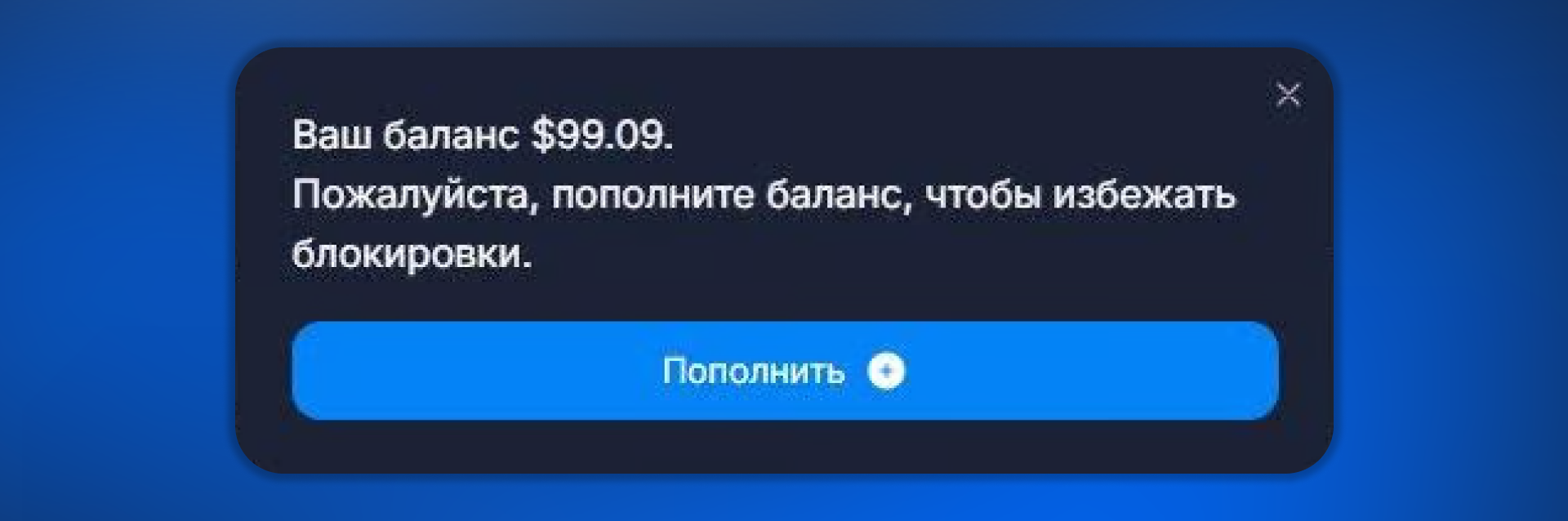
Low company balance notification
Notification that appears when the balance drops below $100


Why this matters

In Chatterfy, bot and AI conversation usage is deducted from the company balance once a day at 00:00 UTC (Resource Usage). If the balance goes negative, bots automatically switch to a stopped status — leads stop receiving replies, and incoming messages pile up. Service is restored after topping up via How to top up a company.
The $100 threshold is the “yellow zone”: a typical daily spend for an active company is 5–30 USDT, and with $100 in your account you have 3–20 days of buffer. During that time, a USDT TRC20/ERC20 crypto transfer will definitely have enough time to arrive.
What to do now
Check your current spend in Resource Usage — estimate how many days of operation you have left. If it is less than 3, top up right now (USDT, minimum $100, instructions in How to top up a company). If you have a 5+ day buffer, top up within the week.


After topping up

The notification disappears automatically 10–20 minutes after the funds are credited to the balance (status confirmed in Top-up history).
If the notification has not disappeared within an hour, reload the page. The cache is on the browser side and sometimes shows the old balance amount.
If the account balance is already above $100, but the notification remains, contact @chatterfy_support with your Company ID.


Frequently asked questions

No. $100 is just the notification threshold. The platform continues to work with any positive balance. Bots stop only when the balance goes negative.

No, it cannot be disabled — it is part of the financial status reminders. If it gets in the way in the dashboard, close it with the “×” button — it will stay hidden until the next time.

Yes. As the balance approaches zero and when it is negative, more urgent signals appear — the banner changes color to yellow or red. With a negative balance, bots already stop being billed and switch to Stop.

It depends on the network. USDT TRC20 usually takes 5–10 minutes. USDT ERC20 takes 10–30 minutes (slower, but more reliable). After the transaction arrives, Chatterfy waits for the required number of network confirmations, then updates the balance. Learn more — How to top up a company.

Not at the moment. All top-ups are manual, USDT crypto. Cards and auto top-up are on the roadmap, but there are no exact dates yet. For a team that wants to automate this, you can keep a one-month buffer in advance.


Related

How to top up a company
How to top up a company Topping up the balance is a required step when creating a company. Without a balance, the company will not be activated. Payments are made in USDT, with a minimum of $100. Chat
Resource Usage
The Billing → Usage section is a summary of the company’s spending statistics. Unlike (where each charge is shown as a separate line), Usage shows aggregated spending from two perspectives: by bots an
Top-up history
The Deposits history block in the Billing section shows all your top-ups since the company was created. It is a financial ledger: records are never deleted or edited. It is used for three tasks: recon
Billing — Company Balance and Expenses
The Billing section is for managing the company balance and controlling expenses within the platform. Here you top up the balance, view the transaction history, and analyze where the money is going. B

Was this article helpful?

BackFrequently Asked QuestionsNextAI takes a long time to respond / works slowly

On this page

  • Why this matters
  • After topping up
  • Frequently asked questions
  • Related