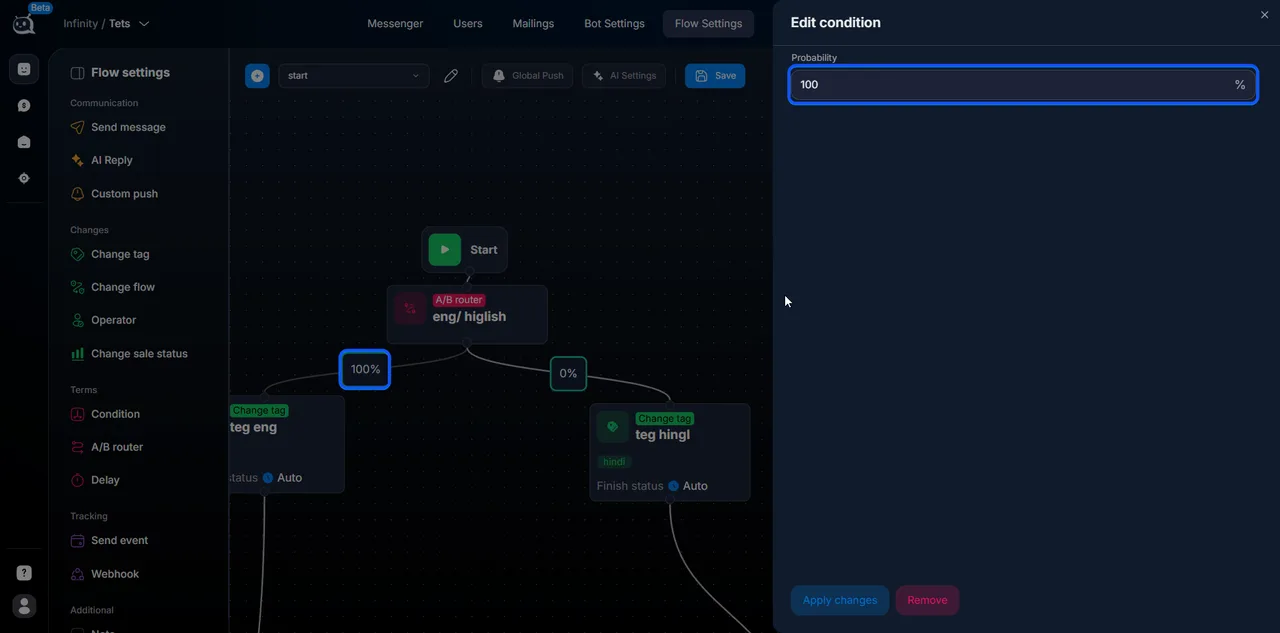
The A/B Router step randomly distributes leads across different branches of the scenario in a specified percentage ratio . Use it for A/B tests: run two message variants, compare conversion, and keep
Updated August 30, 20263 min
The A/B Router step randomly distributes leads across different branches of the scenario in a specified percentage ratio. Use it for A/B tests: run two message variants, compare conversion, and keep the winner.
When to use
Test two greeting variants to see which converts better. Compare two offers. Split traffic 50/50 or 80/20 between two flow versions. Gradually introduce a new scenario: 10% to the new one, 90% to the old one, then increase the share.
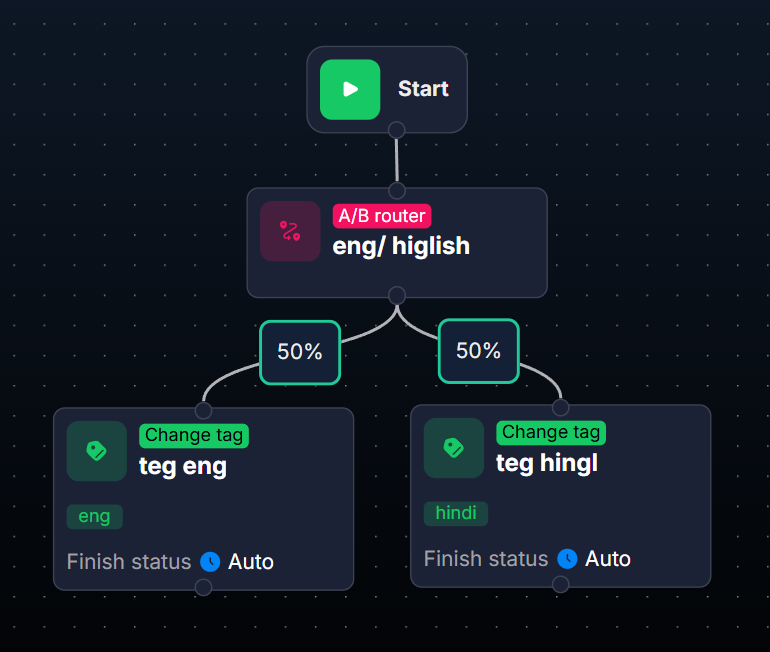
A/B Router in the step tree
How it works
The lead reaches the A/B Router step.
The system randomly selects one of the branches according to the specified proportions.
The lead moves to the selected branch.
A single lead enters only one branch — the choice is fixed.
A/B Router is suitable for:
A/B testing messages and scenarios.
Comparing the effectiveness of two offer variants.
Distributing traffic between different funnels.
Gradual rollout of new logic.
Settings
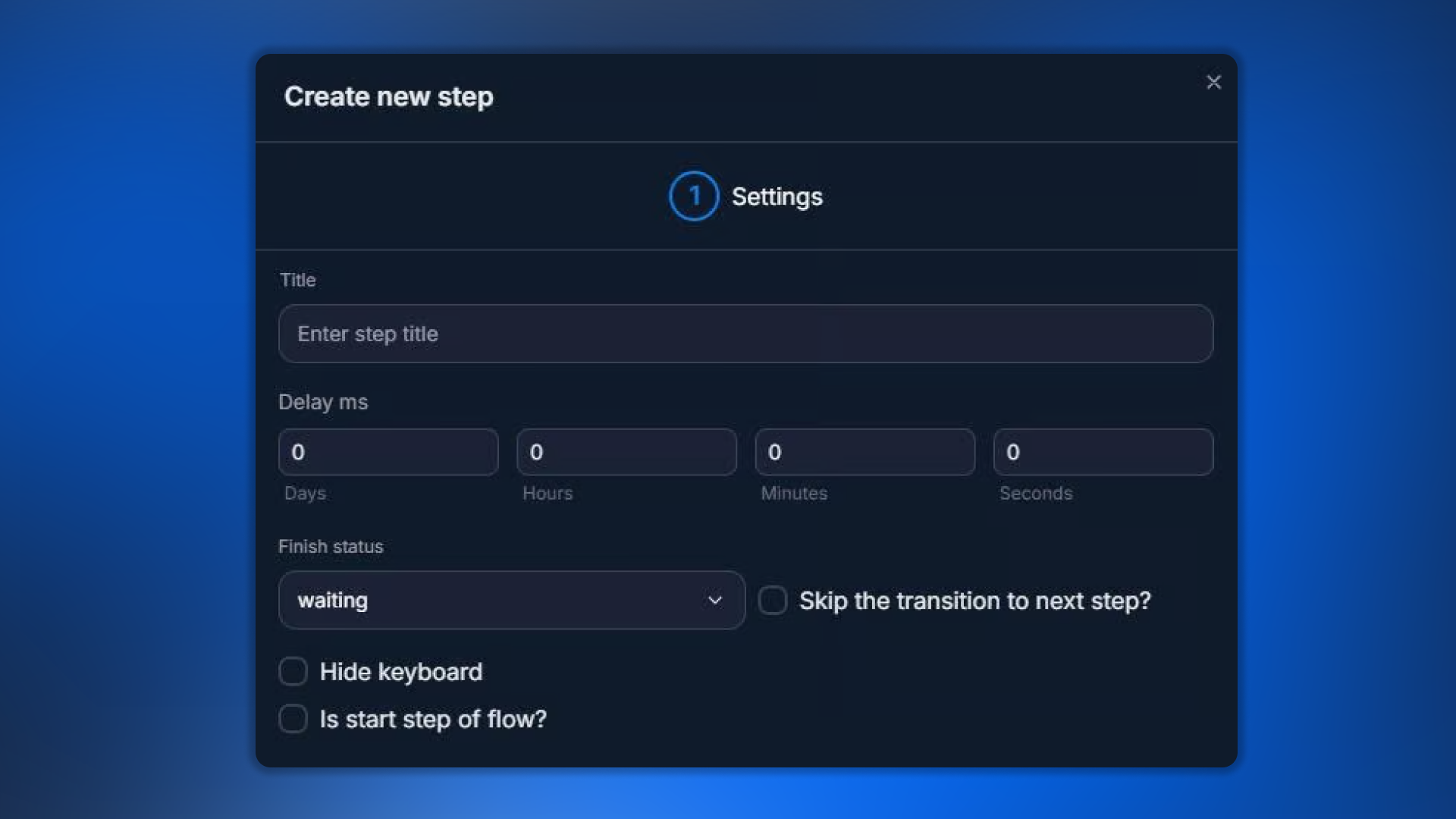
Step settings
Parameter
What it defines
Title
Step name
Delay
Delay before distribution
Finish Status
Conversation status
Hide keyboard
Hide keyboard
Is start step of flow
Set as start
Skip the transition
Do not transition automatically
Available Finish Status values:
nothing — transition to the next step.
auto — automatic continuation.
waiting — waiting for the lead's reply.
manual — operator.
blocked — blocking.
finished — completion.
Traffic distribution — configuring branches
Branch distribution
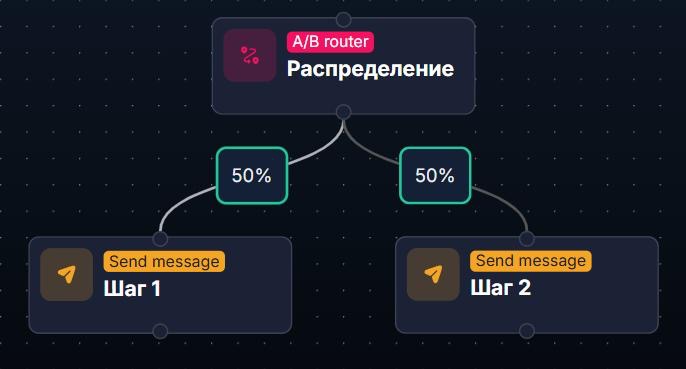
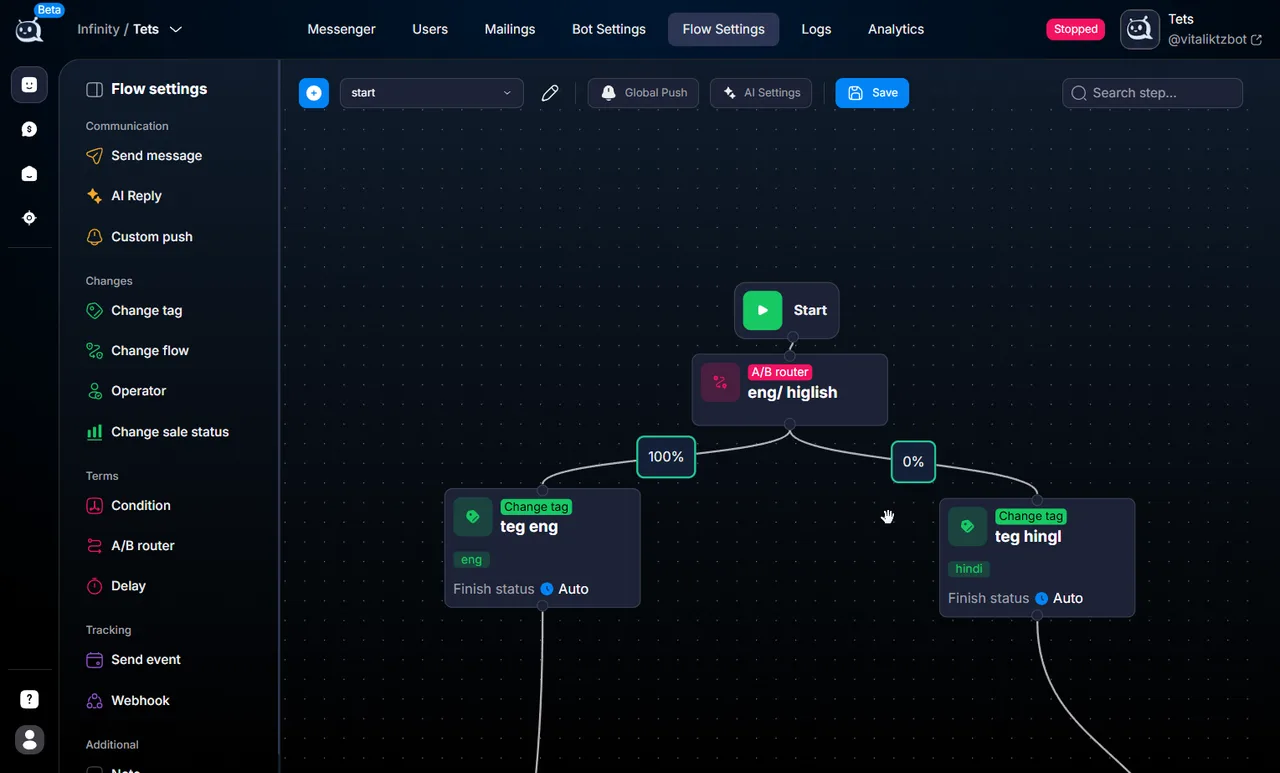
Percentages are set on transitions (on the lines between steps), not inside the step settings. Therefore, configure them after connecting the steps:
Draw lines from the A/B Router to the required steps.
After a week, check the conversion of both branches in Steps Conversion. Keep the winner and disable the losing branch.
Gradual rollout of new logic:
Step 1 — 90% → old version of the flow.
Step 2 — 10% → new version of the flow.
Gradually increase it to 50/50, then 90/10 in favor of the new version, then 100% to the new version.
Important considerations
One lead — one branch
A/B Router records the choice for a specific lead at the moment they pass through it. If the lead returns via Change flow and reaches the same A/B Router again, they may be assigned to a different branch (random redistribution). This can distort analytics. For stability, use a tagging tag: after A/B Router → Change tag “variant_A” or “variant_B”.
The total must be 100%
If the branch total is not 100%, the system will behave unpredictably. Check it regularly when making changes.
Frequently asked questions
2–3. A larger number (4+) gives too small a sample for each branch — the statistics do not have time to accumulate.
It depends on traffic volume. We recommend at least 100 leads per branch for meaningful statistics. For an offer that receives 50 leads per day, plan at least one week for the A/B test.
If you want to split by a specific attribute (country, tag, traffic source), use Condition — conditional branching instead of A/B Router. A/B Router is specifically random distribution.
When passing through A/B Router for the first time — yes, the choice is fixed. When entering it again (via Change flow), the choice may be new. See the callout above about marking with a tag.