The Bot Settings → Bot Variables section is used to store shared values that are used in different parts of the bot. Simply put, these are variables for reuse. Instead of manually inserting the same l
Updated August 17, 20264 min
The Bot Settings → Bot Variables section is used to store shared values that are used in different parts of the bot. Simply put, these are variables for reuse.
Instead of manually inserting the same link, promo code, or text into dozens of steps, you create a variable once and then call it using {{variables.variableName}}.
This is especially useful for:
affiliate links
support chats
promo codes
offer IDs
product names
long URLs
any recurring values.
Why you need Bot Variables
in 5 flow steps
in AI Reply
in AI Settings
in buttons.
A week later, you change the offer.
Without variables:
you have to search for the link across the entire bot
it is easy to forget one of the steps
some old links will remain.
With Bot Variables:
change the value once
the update is applied everywhere automatically.
When to use Bot Variables
You have a long affiliate link
For example: https://partner.com/register?clickid={{tracker.clickid}}&utm_source=fb...
There is a support link
For example: https://t.me/support_brand. It is better to store it in a variable.
Long URLs are used
You can automatically shorten them through your own domain.
The value is repeated more than once
A good rule: if the same value appears in the bot twice, move it to a Bot Variable.
Bot Variables vs Custom Fields
These tools are often confused. But they work in completely different ways.
Tool
What it is used for
Value
Bot Variables
General bot data
One value for all leads
Custom Fields
Data for a specific lead
Each lead has their own
Simple rule
Bot Variables are for general data: partner link, support chat, promo code, offer name. Custom Fields are for individual data: trader_id, lead country, balance, email, clickid.
How to create a Bot Variable
1
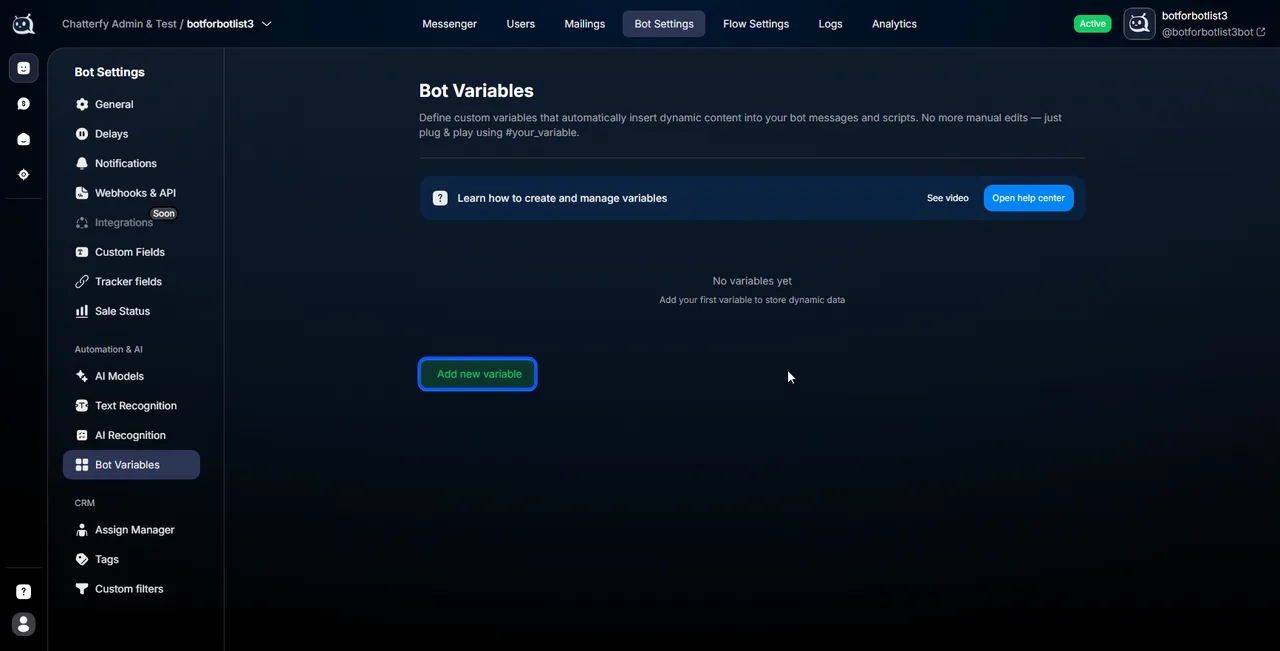
1. Open Bot Variables
Go to:
Bot Settings → Bot Variables
If the bot is new, the list will be empty.
2
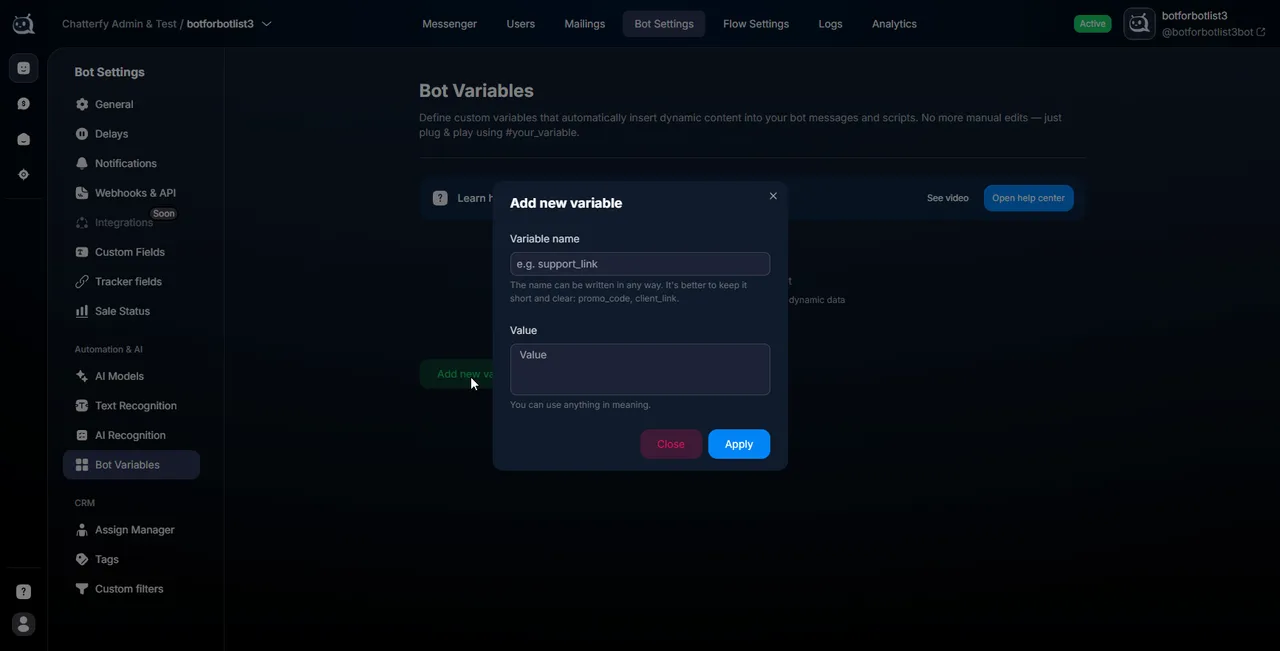
2. Click Add New Variable
The creation form opens.
3
3. Fill in Variable Name
This is the variable name. You will use this exact name in the macro {{variables.variableName}}.
Important. The variable name is its identifier. If you rename a variable after it is already used in steps, AI prompts, buttons, or webhook URL, the old references will stop working. Empty values will appear in messages. Therefore, think through the name in advance and try not to change it.
4
4. Fill in Value
Value is the variable value. For example, a long partner link or https://t.me/support_brand. You can use other variables inside Value.
Tracker parameters:
{{tracker.clickid}}
{{tracker.utm_source}}
Custom Fields:
{{fields.trader_id}}
System variables:
{{chatId}}
{{name}}
{{username}}
5
5. Click Save
After saving, the variable immediately becomes available throughout the bot.
How to use variables
After creating it, call the variable like this: {{variables.regLink}} (replace regLink with your own name).
Where Bot Variables work
Send Message
In regular messages, for example: “Registration: {{variables.regLink}}”.
If a variable contains a long link, it can be shortened automatically. Before: a long URL with UTM and {{tracker.clickid}}. After: a short address on your domain.
How to enable shortening
When editing a variable, enable Shorten the link and select a domain.
The domain must be connected in advance via Domains — custom domains. If the domain list is empty, connect a domain first, then return to the variable.
Why shorten links
Higher CTR — short links look safer.
Branding — the lead sees your domain, not the affiliate link.
Fewer anti-fraud issues: your own domain looks more reliable than bit.ly, tinyurl, or a random shortener.
Protection from blocks: if the affiliate domain is restricted, your redirect may continue to work.
Using in AI prompts
Bot Variables are especially useful in AI: instead of a long link in every prompt, use {{variables.regLink}}.
Easier to maintain: changing a link = changing one variable.
Shorter prompts: AI does not need to store long URLs inside instructions — this reduces the prompt size, saves tokens, and simplifies maintenance.