Skip to content
ChatterfyHelp Center
HomeGeneralCRMAI ManagerTrackerPlatformsFAQUpdate log
FAQ
Tracker Errors
Telegram Errors
FAQs
Frequently Asked Questions
The bot stopped accepting channel join requests — why?
Do I have to keep my balance above $100?
AI takes a long time to respond / works slowly
Channel not visible when creating a channel campaign — how to fix it?
I imported a flow, but the bot is still following the old funnel
Why the AI Doesn't Skip a Step If the Lead Has Already Answered Appropriately
How to make the bot wait for a lead's reply
How to remove the keyboard (reply keyboard) for a lead
How do I restart a funnel for a lead?
Requirements for Uploading a Custom Landing Page
Uneven A/B testing — 90% to one branch, 10% to the other
Voice message without visualization (waveform)
Why conversations and events are not tracked — only Subscribe
How to Send a Round Video Message (Video Note) Correctly
How to avoid video compression when sending videos
How to hide chats between agents
  1. FAQ
  2. FAQs
  3. Voice message without visualization (waveform)

Voice message without visualization (waveform)

A voice message in Telegram is a special format: a round microphone icon + an animated sound volume visualization (waveform). For Telegram to recognize a file as “voice” rather than a regular audio tr

Updated June 21, 20262 min
A voice message in Telegram is a special format: a round microphone icon + an animated sound volume visualization (waveform). For Telegram to recognize a file as “voice” rather than a regular audio track, the file must be strictly in .ogg format with the opus codec.
If you upload .mp3, .wav, .m4a, or .ogg with a different codec (vorbis, for example), Telegram will display the message as a regular music file, without a waveform and without the round play button.
Uploading a voice message in the correct format
An .ogg file with opus is displayed as a voice message with a waveform


How to convert to opus

Most audio tools offer export to opus as a standard option. A few methods:
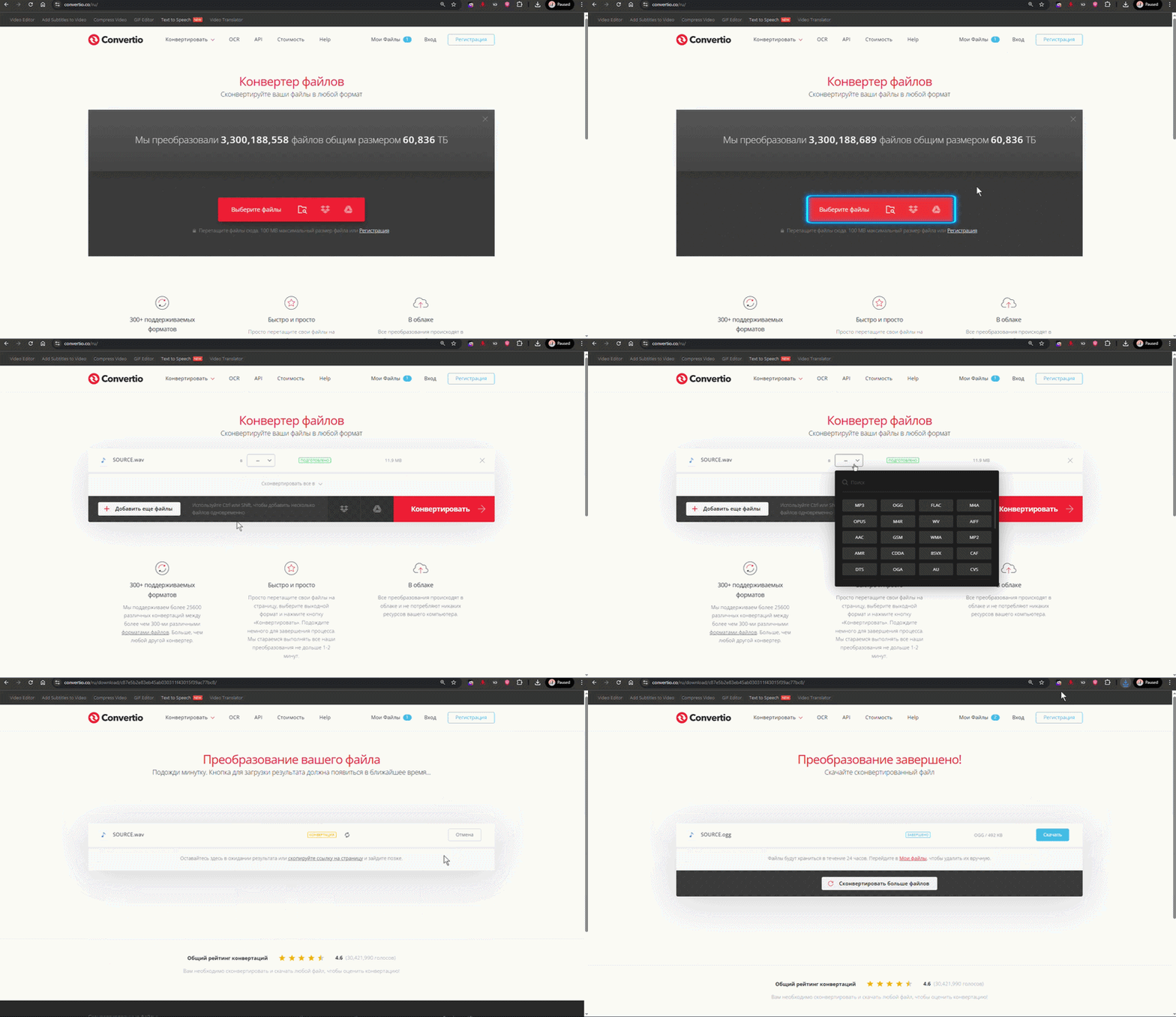
Online converter: freeconvert.com, cloudconvert.com, convertio.co. Upload the source file and choose “to .ogg (Opus codec)”.
Locally via ffmpeg: ffmpeg -i input.mp3 -c:a libopus -b:a 32k output.ogg — this produces the required format and good compression.
Record directly in Telegram (from a second account or to yourself). Download the resulting “voice message” as a file — it is already in opus. Use it for resending in the bot.
The 32 kbps bitrate is not accidental
Telegram recognizes a voice message only if the file meets its expectations: mono audio, low bitrate (16–48 kbps is enough for speech). At a high bitrate, Telegram may still display the file as a “track” rather than as voice. Use 32 kbps — the standard for voice messages.
To prevent this from happening again
Create a team template: always convert audio files to opus before uploading them to Send Message steps. If the funnel uses voice, it is better to have a ready-made ffmpeg script or a bookmark for an online converter. Leads notice the difference: a voice message with a waveform feels live, while regular audio feels robotic.


Frequently asked questions

The easiest way: record a voice message directly in Telegram (to yourself in Saved Messages or to another account). Download the resulting file — it is already in the required format and bitrate. This is the most “native” voice message for the bot.

No, opus is sent without transcoding. If you sent .ogg/opus, the lead will receive exactly the same file. With other formats, Telegram transcodes first, and the result is unpredictable.

Use ffmpeg -i file.ogg — the output should contain Audio: opus. If it says vorbis, you need to transcode it.

Check: (1) the codec is opus, not vorbis. (2) the file is mono (1 channel), not stereo. (3) the file is not corrupted — try playing it in any player. If the player cannot open it, Telegram will not render it either.


Related

How to Send a Round Video Message (Video Note) Correctly
A video note in Telegram is a short square video in a circular frame, like in the Telegram app when recording via the microphone. For the file to be displayed specifically as a “circle,” and not as a
How to avoid video compression when sending videos
The video is sent distorted, in poor quality, or its aspect ratio changes — this is the result of automatic transcoding by Telegram. Telegram compresses videos when sending them if the file exceeds ce
Send message — sending a prepared message
The Send message step is the most basic flow step. It sends predefined content: text, an image, a document, a voice message, a video note, buttons. Unlike AI Reply, there is no AI here and no generati

Was this article helpful?

BackUneven A/B testing — 90% to one branch, 10% to the otherNextWhy conversations and events are not tracked — only Subscribe

On this page

  • How to convert to opus
  • Frequently asked questions
  • Related