Skip to content
ChatterfyHelp Center
HomeGeneralCRMAI ManagerTrackerPlatformsFAQUpdate log
FAQ
Tracker Errors
Telegram Errors
FAQs
Frequently Asked Questions
The bot stopped accepting channel join requests — why?
Do I have to keep my balance above $100?
AI takes a long time to respond / works slowly
Channel not visible when creating a channel campaign — how to fix it?
I imported a flow, but the bot is still following the old funnel
Why the AI Doesn't Skip a Step If the Lead Has Already Answered Appropriately
How to make the bot wait for a lead's reply
How to remove the keyboard (reply keyboard) for a lead
How do I restart a funnel for a lead?
Requirements for Uploading a Custom Landing Page
Uneven A/B testing — 90% to one branch, 10% to the other
Voice message without visualization (waveform)
Why conversations and events are not tracked — only Subscribe
How to Send a Round Video Message (Video Note) Correctly
How to avoid video compression when sending videos
How to hide chats between agents
  1. FAQ
  2. FAQs
  3. How to Send a Round Video Message (Video Note) Correctly

How to Send a Round Video Message (Video Note) Correctly

A video note in Telegram is a short square video in a circular frame, like in the Telegram app when recording via the microphone. For the file to be displayed specifically as a “circle,” and not as a

Updated June 21, 20262 min
A video note in Telegram is a short square video in a circular frame, like in the Telegram app when recording via the microphone. For the file to be displayed specifically as a “circle,” and not as a regular rectangular video, it must meet strict format requirements.
Uploading a video note in the Send Message step
Uploading a square H.265 video as a Video Note


File requirements

Format — square (1:1, for example 640×640 or 768×768).
Codec — H.265 (HEVC). H.264 is also accepted by Telegram, but H.265 gives a smaller file size at the same quality.
File size — up to 10 MB. Larger files — Telegram will transcode them or refuse to send them as a circle.
Duration — usually up to 60 seconds (Telegram’s internal limit for video notes).
Audio is recommended (without it, the circle looks broken), but not required.
A rectangular video will not turn into a circle
If you upload a 1920×1080 video (horizontal) or a 1080×1920 video (vertical), Telegram will send it as a regular video, not as a note. A circle is created only from a square. Before uploading, crop the video to 1:1 — for example, with ffmpeg or any video editor.


How to prepare it

Using ffmpeg: ffmpeg -i input.mp4 -vf "crop=ih:ih,scale=640:640" -c:v libx265 -b:v 800k -c:a aac output.mp4 — crops to a square, transcodes to H.265, and compresses it.
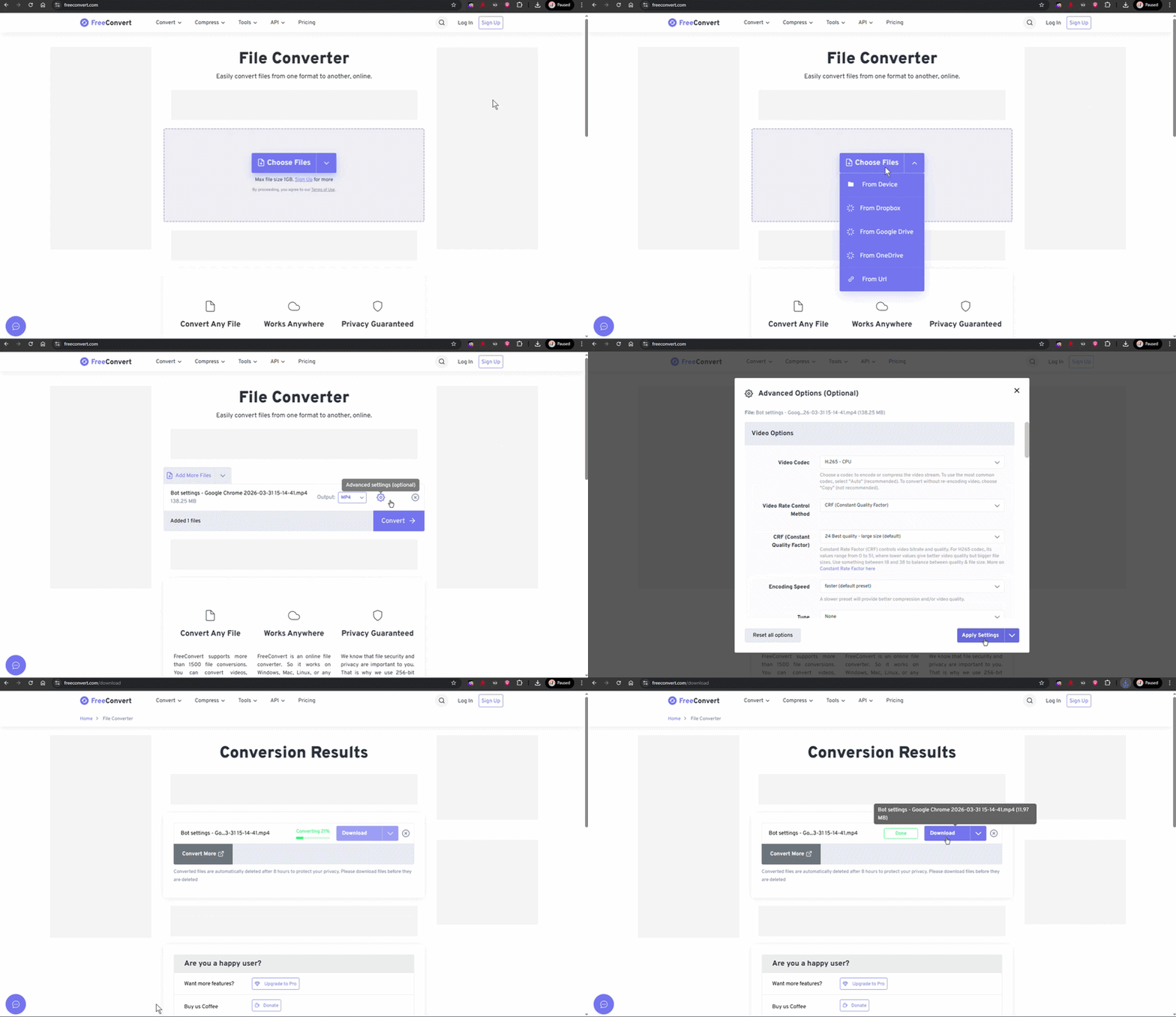
Using an online converter: freeconvert.com, cloudconvert.com — select “video to video,” set the aspect ratio to 1:1, and choose the H.265 codec.
You can record a ready-made circle directly in Telegram (any chat → microphone icon → hold to record a circle), download the resulting file, and use it in the bot.
To avoid this next time
If video notes are a frequent feature of your funnel, create a template ffmpeg command or record 2–3 ready-made reference examples. Leads respond very well to video notes as something “live,” so several properly prepared circles in a funnel often increase conversion compared with the same messages as text.


Frequently asked questions

Check the codec. Some video editors export “mp4” with the VP9 / AV1 codec — Telegram does not accept such files as circles. You need explicit H.265 (or H.264 as a fallback).

In Send message — sending a prepared message add the file as media. If the file meets the video note requirements, Telegram will send it as a note. Currently, there is no separate “send as video note” checkbox: the bot determines the type based on the file itself.

Record your own through a personal Telegram account → forward it to the bot → download the file. This is the most reliable way to get a “reference” voice note that will definitely work.

If the source is rectangular (16:9 or 9:16), Telegram crops it in the center to a square. It is better to crop it in advance: either manually or with ffmpeg (crop=ih:ih takes a square based on the frame height, centered).


Related

How to avoid video compression when sending videos
The video is sent distorted, in poor quality, or its aspect ratio changes — this is the result of automatic transcoding by Telegram. Telegram compresses videos when sending them if the file exceeds ce
Voice message without visualization (waveform)
A voice message in Telegram is a special format: a round microphone icon + an animated sound volume visualization (waveform). For Telegram to recognize a file as “voice” rather than a regular audio tr
Send message — sending a prepared message
The Send message step is the most basic flow step. It sends predefined content: text, an image, a document, a voice message, a video note, buttons. Unlike AI Reply, there is no AI here and no generati

Was this article helpful?

BackWhy conversations and events are not tracked — only SubscribeNextКак избежать сжатия видео при отправке

On this page

  • File requirements
  • How to prepare it
  • Frequently asked questions
  • Related