

Create task — task creation via Flow
The Create task step creates a task on the selected board when a lead reaches the designated point in the scenario. Use it to automatically hand off work to your team, for example, after a registratio
The
Create task step creates a task on the selected board when a lead reaches the designated point in the scenario. Use it to automatically hand off work to your team, for example, after a registration, event, status change, or completion of a funnel stage.When to use
you need to create a task for an operator after a lead's action;
you need to transfer a chat or lead for manual processing according to flow rules;
you need to control the deadline for the next team action;
you need to save the chat context in a task for the assignees.
Add the step
Open
Flow Settings, in the Additional group select Create task and add it to the canvas. Connect the step to the previous element in the scenario just like other flow steps.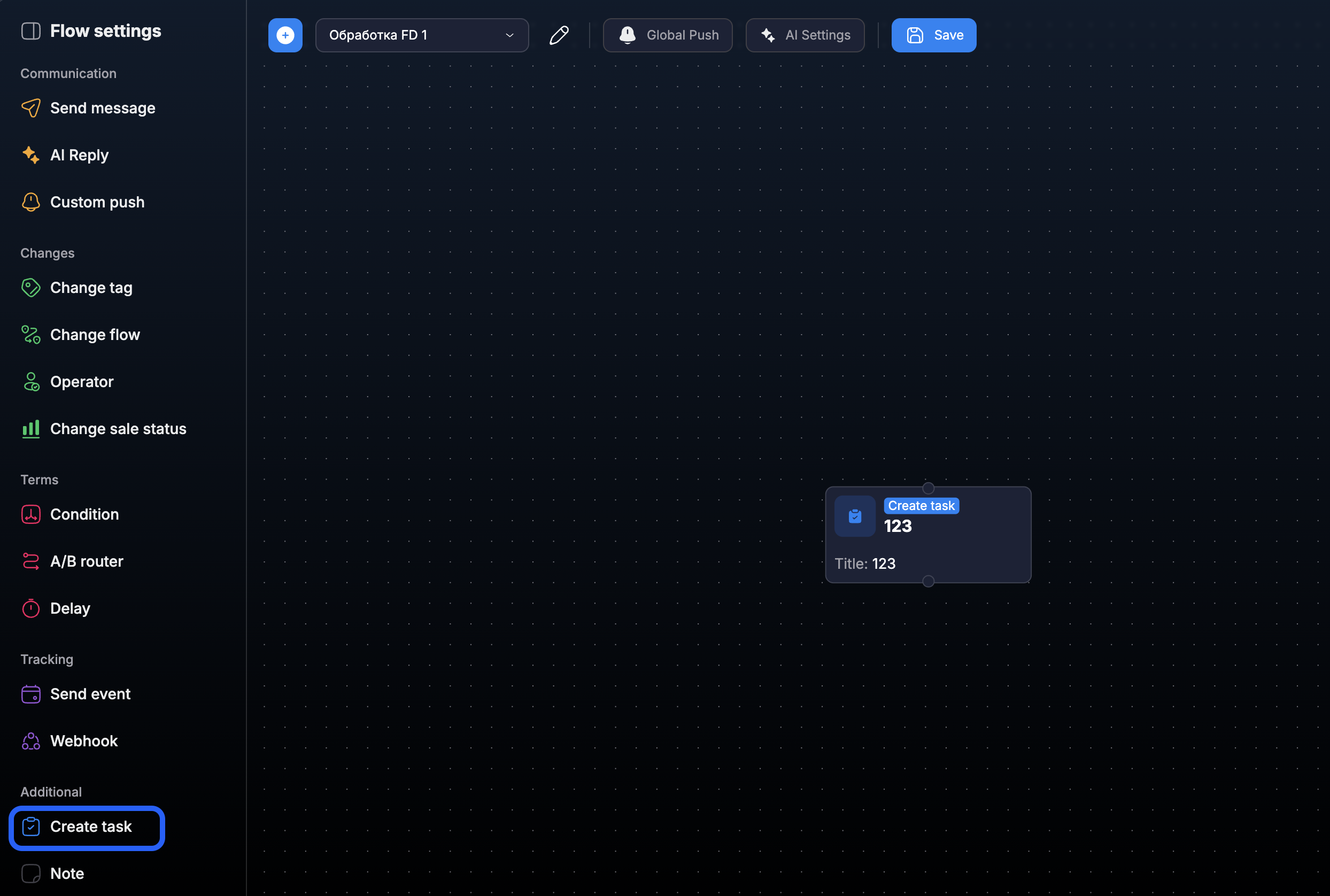
Configure the task
Open the settings of the added step and fill in the task parameters.
Board, title, and description
Select the board where the task will be created. Specify a clear title and, if necessary, add a description with context for the team.
Assignees
Select the staff members who will be assigned to the task. If necessary, enable the option to assign the current chat operator — it will add the operator who is already conducting the dialogue.
Deadline
Choose one of the options: no deadline, relative deadline, or a specific date. A relative deadline is convenient for repeatable scenarios where the deadline depends on when the step is triggered.
Link to chat
Enable
Attach the chat to the task so that assignees can open the associated dialogue from the task and immediately see the context of the communication with the lead.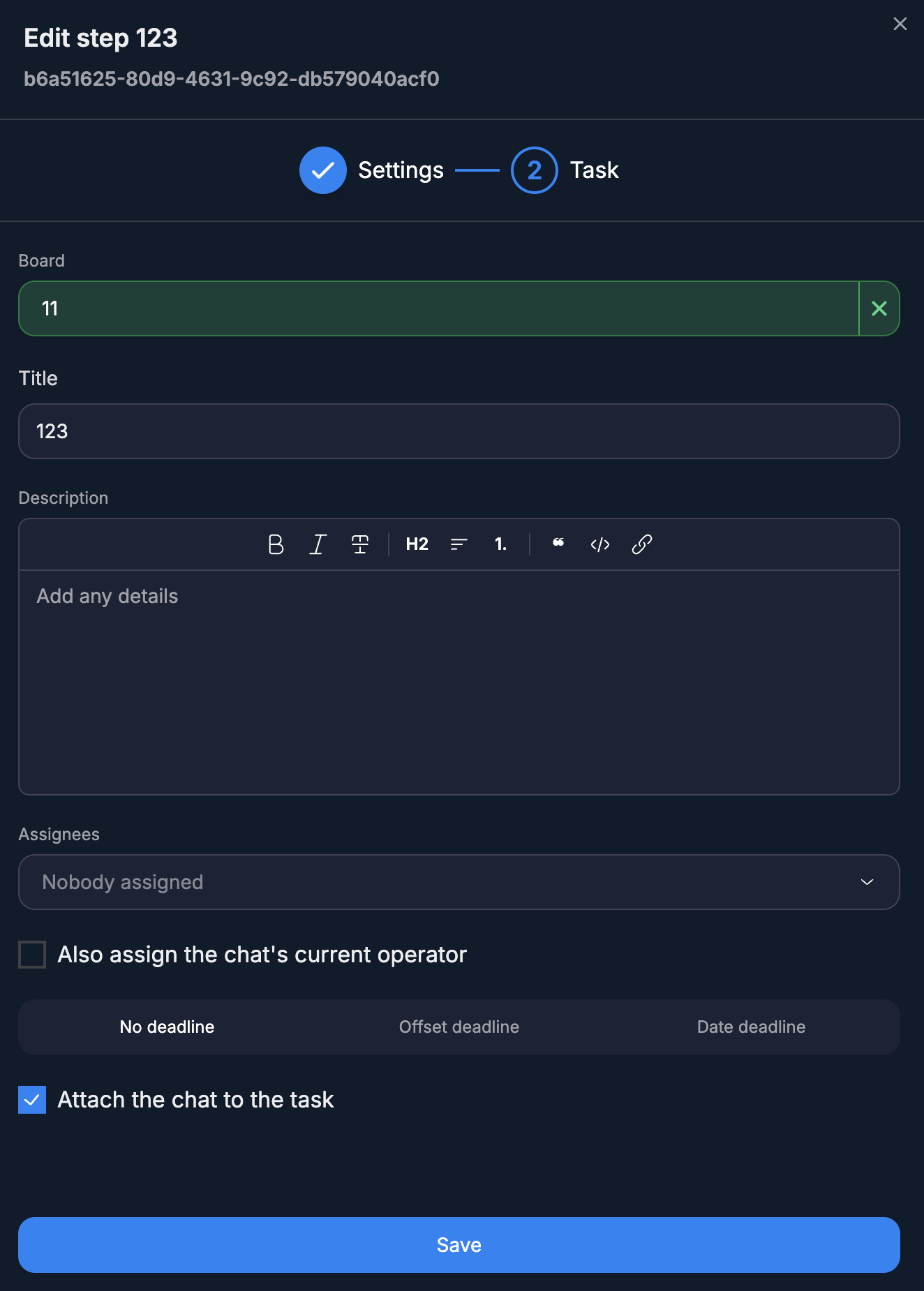
What happens after triggering
When a lead reaches the step, a task with the specified parameters appears on the selected board. If linking to the chat is enabled, the task will be associated with the current dialogue and accessible from the Tasks panel in the lead card.
Create task does not send a message to the lead and does not change the course of the dialogue on its own. The step creates an internal task for the team.
Was this article helpful?