

How to Use the Help Center
Help Center is a single knowledge base for Chatterfy. It contains ~200 articles organized into sections, plus full-text and AI search. Here are three things that will save you time: how to search, how
Русская версия статьи обновилась после перевода — часть текста ниже может отставать от оригинала.
Help Center is a single knowledge base for Chatterfy. It contains ~200 articles organized into sections, plus full-text and AI search. Here are three things that will save you time: how to search, how the sections are organized, and what to do if you do not find an answer.
How to use Help Center
Three ways to find an answer
В Help Center три способа найти информацию: AI-поиск, навигация по разделам и связанные ссылки внутри статей. Каждый работает под свой тип задачи — конкретный вопрос → AI-поиск, общее знакомство → разделы, развитие текущей темы → связанные ссылки в конце статьи. Используя их вместе, ответ находится быстрее, чем при опоре на один.
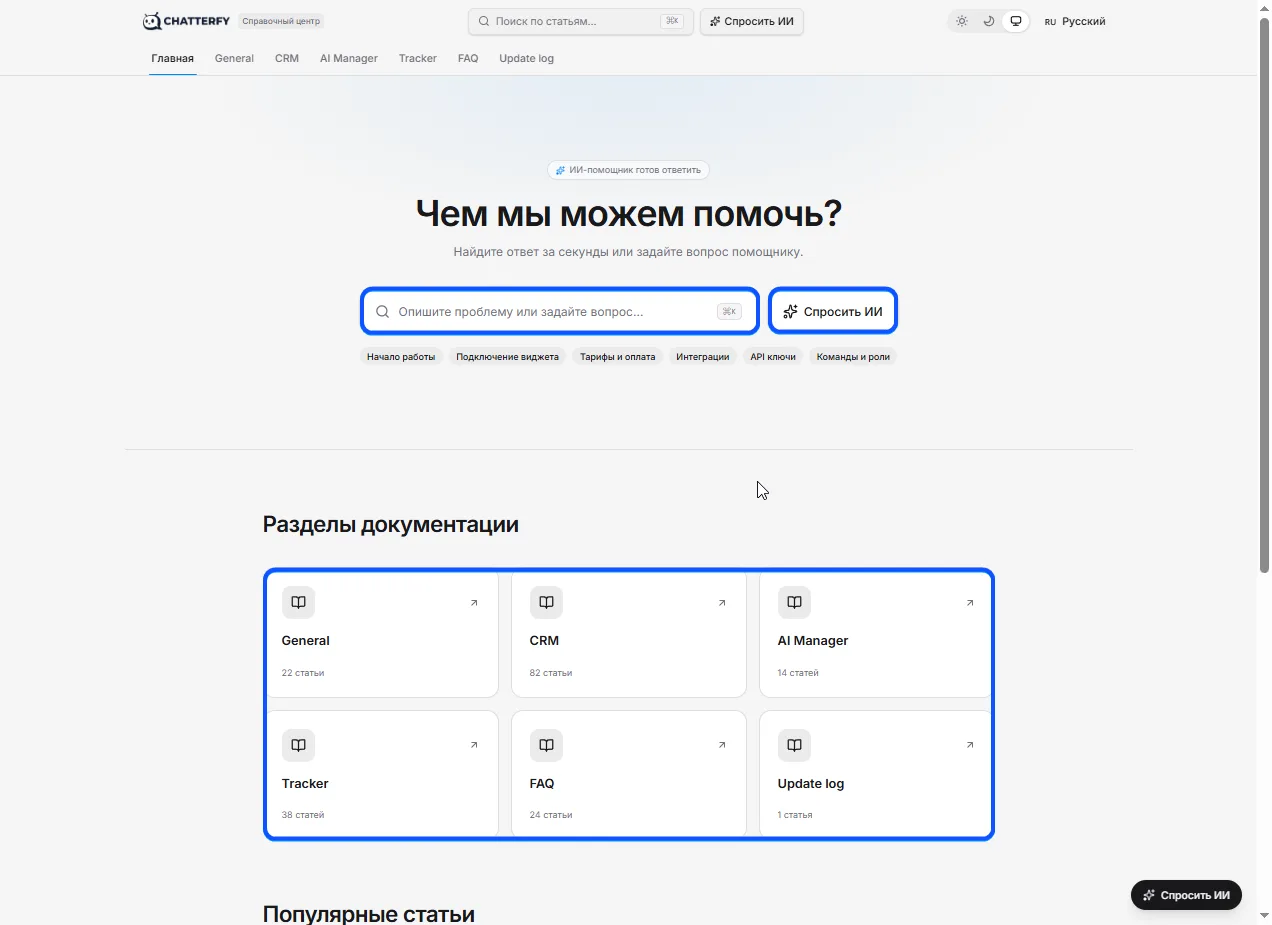
Method 1. AI search
Use it when you have a specific question and need a quick, concise answer.
How it works
At the top of Help Center, there is a search bar. It accepts queries and returns a short AI answer with a list of relevant articles. AI reads the articles it finds and formulates a brief answer. The list below it contains the same articles, so you can open the original.
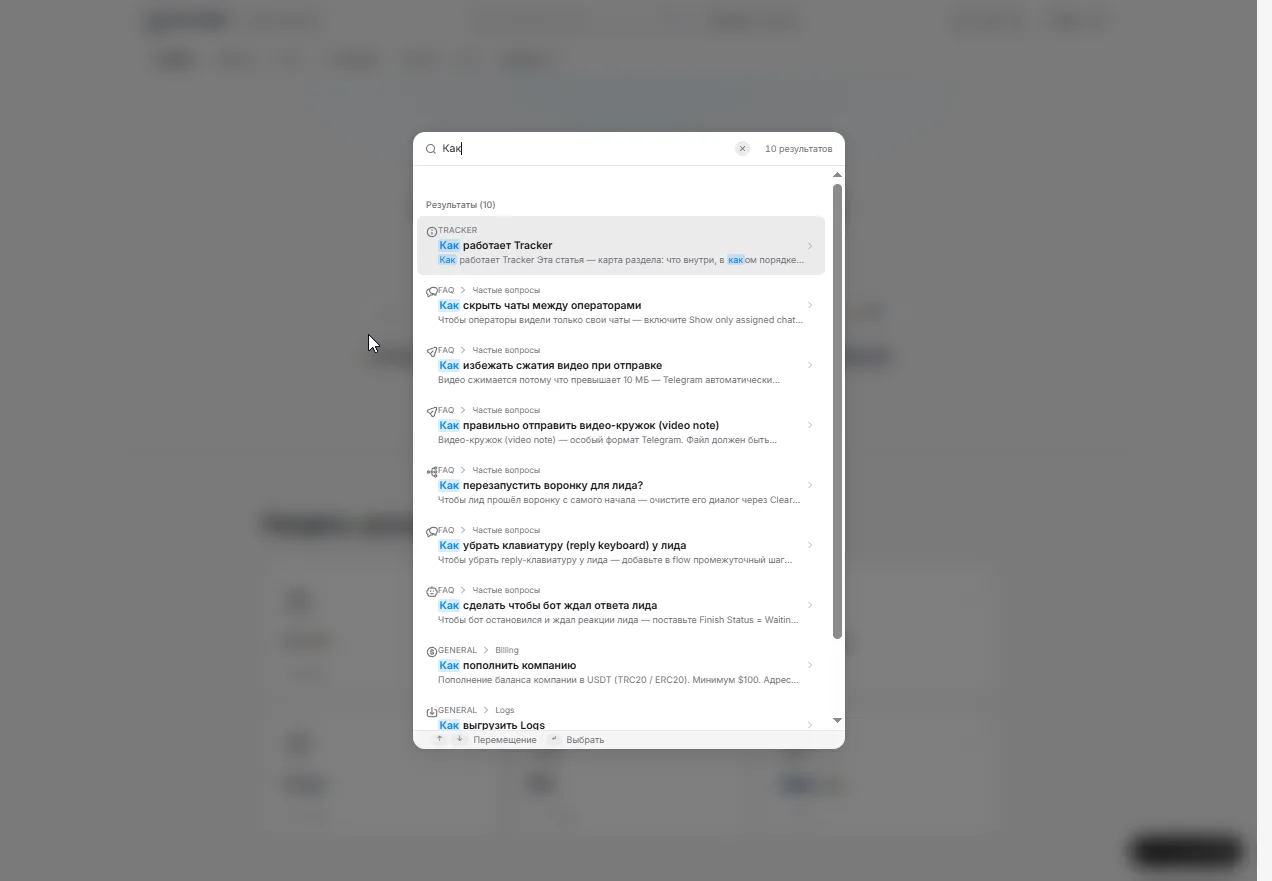
When AI can help
- You ask a direct question: “how,” “why,” or “what to do if”
- The question is about an existing platform feature
- The answer is available in one of the Help Center articles
When AI cannot help
- The question is about a non-existent feature
- The question requires context from a specific account: balance, campaign, or conversation
- The question is about an error or platform outage
In these cases, open FAQ — Frequently Asked Questions and Solutions to Common Problems or message the support channel @chatterfyai in Telegram.
Краткий AI-ответ — это сводка, а не источник истины. Полная и актуальная информация — в самой статье. Если ответ выглядит устаревшим или неполным, откройте оригинал из списка результатов.
Используйте конкретные запросы: «как создать бота», «AI Reply Requirements», «postback не приходит». Точный запрос даёт точный результат. Общие формулировки — «помоги с настройкой», «не работает» — дают размытый список.
Method 2. Navigate by section
Use the sidebar when you are just getting started with Chatterfy or when the question is broad and not specific.
How navigation is organized
The Help Center sidebar is divided into main sections
Section | What’s inside |
General | General company settings: billing, users, Spaces, activity log |
CRM | Working with leads and chats: Messenger, Bot Settings, Flow Settings, Users, Mailings, Analytics |
AI Manager | Conceptual overview of the AI stack: what it can do, how to connect it, and how to improve it |
Tracker | Advertising and tracking: domains, landing pages, campaigns, sources, postbacks, analytics |
FAQ | Solving common issues: Telegram errors, Tracker errors, frequently asked questions |
Update log | Platform update log — what’s new, what’s fixed, what’s changed |
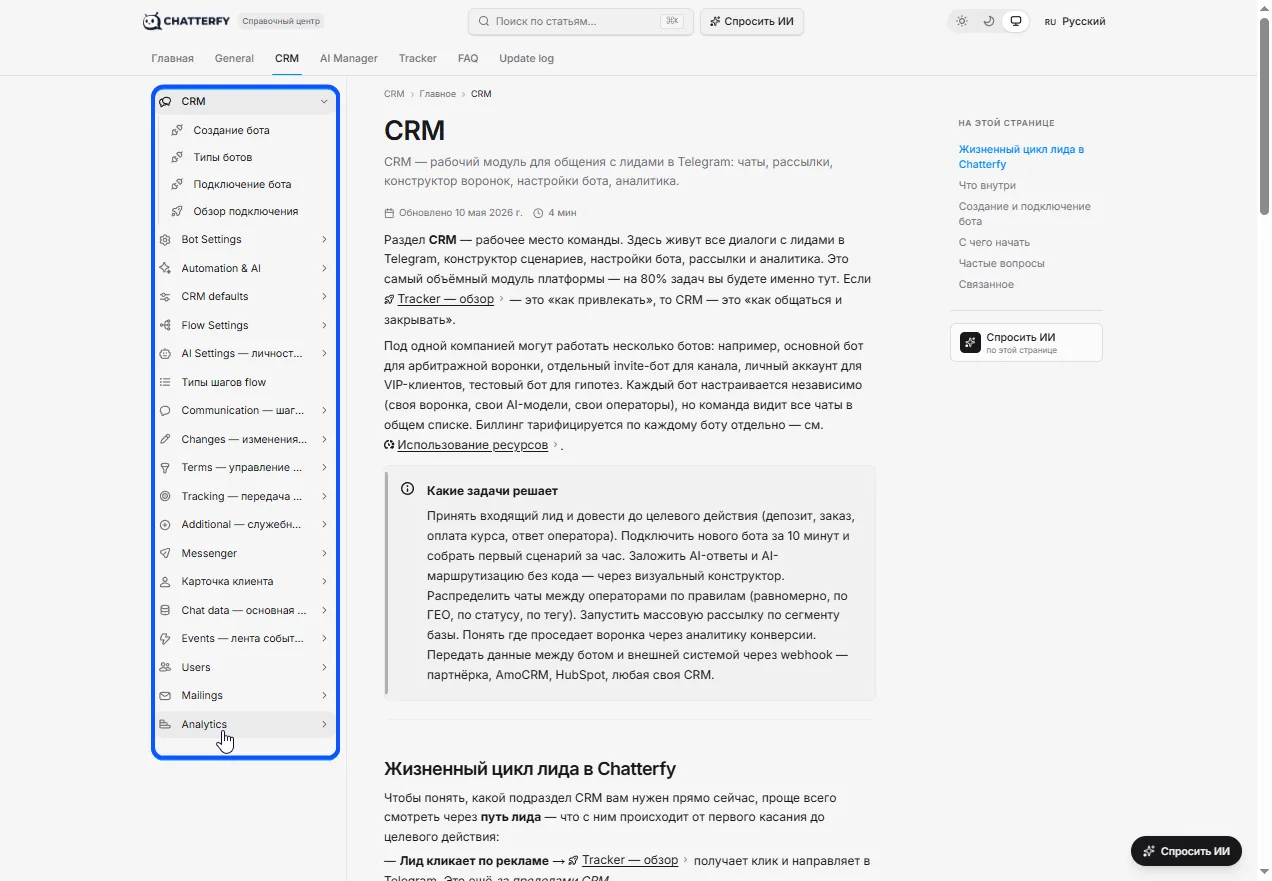
.
Specifics of the AI Manager section
Detailed descriptions of AI settings are located inside CRM — in Bot Settings and Flow Settings. The What AI Can Do in Chatterfy section provides a conceptual overview and works as an entry point for in-depth learning.
Which section to use and when
- New to the product and need the big picture — Chatterfy — Welcome🤝 and What is Chatterfy
- Setting up the bot, chats, and flows — CRM
- Diving deeper into AI — AI Manager
- Running ads and analyzing traffic — Tracker
- Something broke or the behavior is not obvious — FAQ
- Something changed in the product — Update log
Method 3. Related links at the end of articles
At the end of each article, there is a “Related” or “What’s next” block — links to articles on similar topics. Often, the next question is already there.
Связанные ссылки — самый недооценённый способ навигации. Они учитывают естественный путь чтения: что обычно нужно после этой статьи. Не пропускайте блок в конце.
Practices for quick search
Use standard terms
The same object can be called different things — lead, client, user. Search is more accurate if you use the standard term from the glossary: “lead” instead of “client”, “flow” instead of “scenario”, “postback” instead of “callback”. The full list is Glossary.
A specific query is better than an abstract one
Search understands both keywords and meaning. The more precise the query, the better the result quality.
Precise query | Vague query |
postback is not coming through | why my events are getting lost |
AI Reply Requirements | how to make AI skip a step |
Cloudflare subdomain | domain is not working |
Follow the sources in the AI answer
The AI answer always shows the articles it is based on. If the brief summary is not enough, open the source and read the original. Often, the details missing from the short answer are there.
If you are not sure what to ask, browse the sections
Search finds precise answers, but it is not very helpful when you do not know what to ask about. In that case, open the hub page for the relevant section and read the overview.
If you did not find an answer
The Help Center covers most scenarios, but not everything. If there is no answer:
- Check FAQ — Frequently Asked Questions and Solutions to Common Problems — it has short answers to specific errors and non-standard situations that are not covered in the main documentation.
- Check Update log — the feature may have been added recently, or the behavior may have changed.
- Write to the support channel @chatterfyai on Telegram — the only way to ask a question about a specific account (balance, campaign, conversation) or a platform bug.
Если по теме часто задают один и тот же вопрос — сообщите в саппорт. В FAQ добавляются записи на основе повторяющихся обращений пользователей.
Related
- Chatterfy — Welcome🤝 — overview of the entire Help Center and the General section
- What is Chatterfy — platform architecture and the customer lifecycle
- Glossary — glossary of Chatterfy terms
- FAQ — Frequently Asked Questions and Solutions to Common Problems — common issues and solutions
Was this article helpful?